Zebra / Symbol Scanner Cable, USB, RS-232 or PS/2
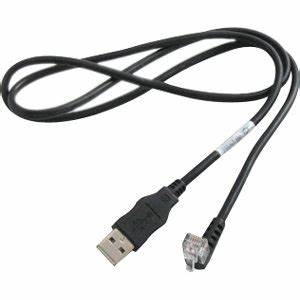
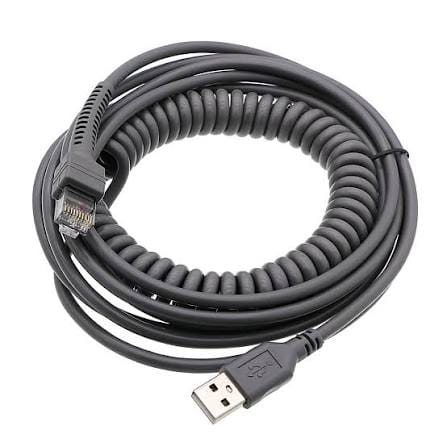
A Zebra Symbol scanner cable built to your model and host interface: USB, RS-232 or PS/2, at the length and jacket your fleet runs.
Overview
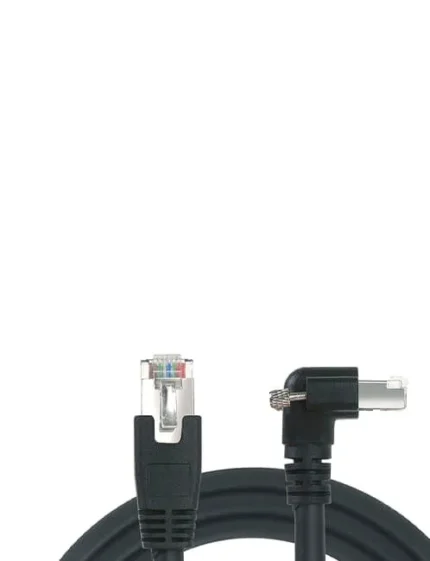
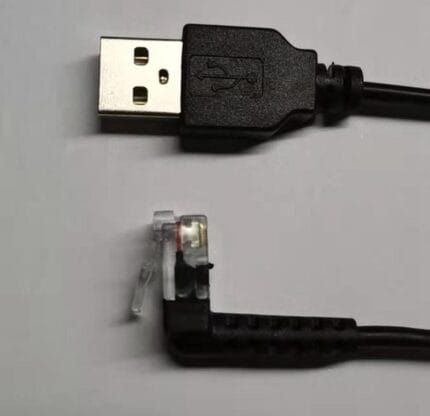
A Zebra Symbol scanner cable is specified by model, not by brand. The handheld families that all get called Zebra or Symbol use different head-end plugs, and some of them use a different pinout on what looks like the same shell. That is why the replacement you found online worked for two weeks and then started dropping reads. Give us the model and the host interface and we build to the pinout rather than to a guess.
Key Specifications
| Scanner families | Zebra / Symbol / Motorola 08 series; Zebra 3608 series; Symbol TW / RS4090 |
|---|---|
| Host interfaces | USB; RS-232 serial; PS/2 keyboard wedge |
| Supply rails | 5 V and 12 V variants per interface |
| Length | OEM build; 2 m and 3 m are common |
| Cable style | Straight or coiled section |
| Jacket | PVC standard; PUR for cold stores and greasy sites |
| Head end | Scanner-specific plug, per model |
| Strain relief | Molded, extended body at the scanner end |
| Build standard | Built to the pinout you send or the model you name |
Choosing the host end: USB, RS-232 or PS/2
The head end is set by the scanner. The host end is a choice, and it changes what the host thinks the scanner is. If you are replacing a cable, the safest move is to order the same interface the old one had:
| Host end | What the host sees | Conductors involved | Order it when |
|---|---|---|---|
| USB | A keyboard or a COM port | 4, with 5 V power from the host | The host is a modern PC or terminal |
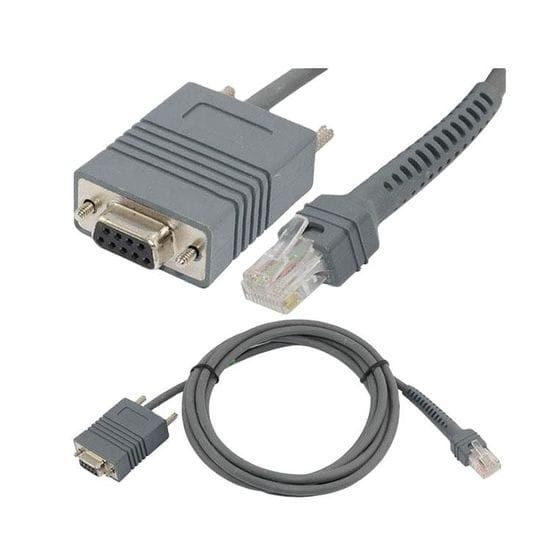
| RS-232 | A serial device on a COM port | Up to 9, with handshaking lines | The host is a legacy terminal or PLC |
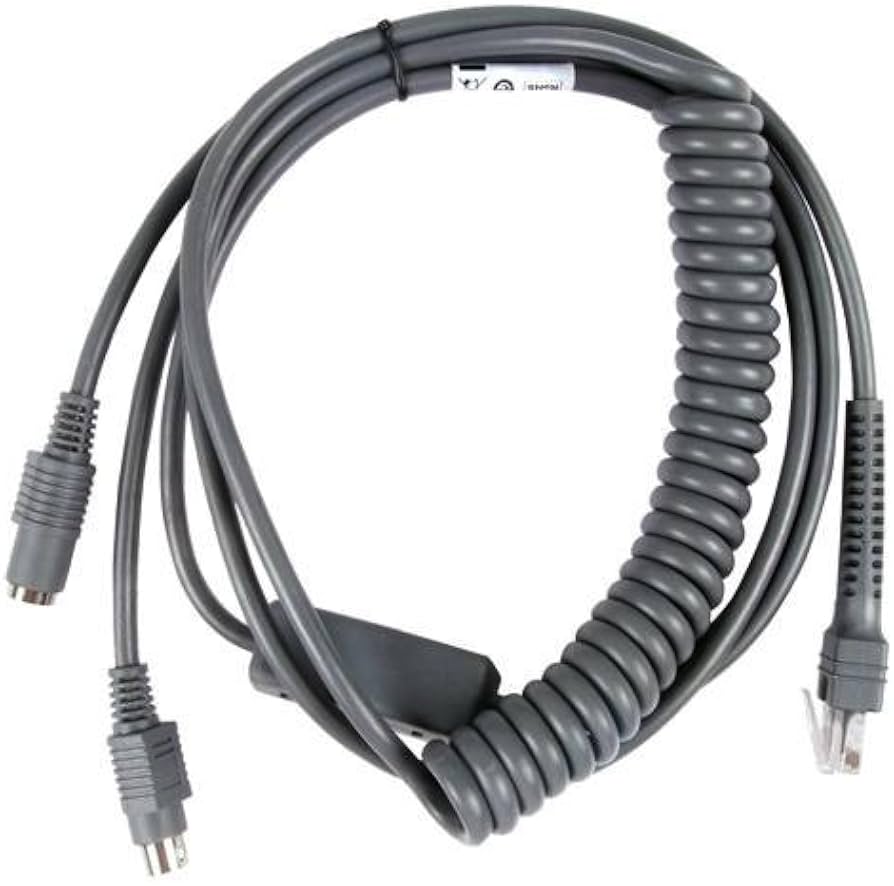
| PS/2 | A keyboard via keyboard wedge | 6, tapped between keyboard and PC | The software only accepts keystrokes |
| Powered USB | A keyboard, with higher current | More conductors, larger power pair | The scanner draws more than plain USB gives |
Where the host is serial, the pinout matters more than the connector: RS-232 defines the signals but not which scanner wire carries them, which is why we ask for the pinout or the model rather than the connector type.
Identifying the scanner family you have
- Read the label on the scanner, not on the cable. The model string, including any suffix, is what identifies the head end.
- Note whether it is cordless. A cordless unit has a cradle, and the cable you need may be the cradle cable rather than a scanner cable.
- Photograph the head end plug straight on. Latch position and shell shape separate families that otherwise look identical.
- Check what the scanner is powered from. Some families take power from the host, others need a supply in the cable.
- Look at the host end of the old cable and photograph it before you throw it away.
We supply to the interface you name and build to the pinout you send. We do not claim to cover every scanner in a brand catalog.
Why the original cable fails on these units
- Handheld abuse. The scanner is carried by its cable on a warehouse floor, so the flex point sits right at the molded relief until a conductor goes open.
- Cradle strain. On cordless families the cable hangs off the cradle and takes the weight every time the scanner is dropped in.
- Cold stores. Standard PVC stiffens below freezing and cracks where the cable bends. PUR is the fix.
- Forklift and trolley traffic. A cable that lies across an aisle gets flattened repeatedly.
- Plugging and unplugging at the host several times a day wears the host-end shell and the port it sits in.
Fitting and verifying a replacement
- Fit the host end first and let the host enumerate it, or set the COM port on a serial host.
- Seat the head end fully. A plug that is 1 mm short gives intermittent reads that look like a dying scanner.
- Scan a known good label into a text editor and confirm the characters and the terminating keystroke.
- Wiggle the cable at both ends while scanning. If reads drop out, suspect the seating first.
- If the scanner is configurable, confirm it did not reset to defaults when it was disconnected.
Typical Applications for This Zebra Symbol Scanner Cable
- Warehouse and distribution benches on a fixed host terminal
- Retail back-of-house receiving and stock counting
- Manufacturing traceability stations reading part and pallet labels
- Cold chain and food production sites that need a PUR jacket
- Replacement programs where the same model is deployed across several sites
How to specify your build
- Scanner model, in full, from the unit label.
- Host interface: USB, RS-232 or keyboard wedge.
- Pinout if you have it.
- Length at working reach, and straight or coiled.
- Jacket: PVC, or PUR for cold, oil and grease.
- Marking with your part number for fleet builds.
- Quantity, and whether this is a prototype or a production order.
Workmanship and testing
Assembly and inspection follow IPC/WHMA-A-620 Class 3 workmanship criteria under our ISO 9001 quality management system, and every unit passes 100% continuity and pinout testing before it is packed. Conductor range is 32 to 12 AWG. Where the build is a powered variant we can add a load check on the production batch. Any rating quoted for the interface is the industry-standard value; the values your assembly is built and verified to are the ones stated on your drawing.
RoHS and REACH declarations are provided per project together with the agreed test reports; the documentation scope is listed under certifications and compliance. If your drawing specifies a UL style, we build to that drawing and supply the UL reference with the shipment instead of substituting an equivalent. Overmold material is selected for how it bonds to the jacket, following the method set out under how we run the overmold press. Related reading: what instrument builds require. Any tooling we cut for this part stays yours, maintained in our own tool room under your part reference.
Custom builds and ordering
Five pieces is the prototype minimum for Zebra / Symbol Scanner builds, shipping in 3 working days; the production minimum is 500 pcs, delivered 14 working days after approval. Tooling not already held adds around 10 working days. Zebra orders ship as OEM or ODM under your part number and labeling material certificates and first-article reports are on offer.
Related scanner and data capture assemblies
Data capture work tends to come in families, so these get ordered together:
- Honeywell Scanner Cable, USB Replacement Build
- Barcode Scanner Cable with Coiled Cord, DB9 to RJ45
- IBM 12V Powered USB to 2×3 6-Pin Scanner Cable
- IBM 24V Powered USB to USB-B Scanner Cable
- DB9 to RJ45 Serial / Console Cable
- Screw Lock Console Cable, DB9 to RJ45 for Rack Management Ports
- Vending Machine Wire Harness, JST and Molex Pigtails
Full range: signal and data cable assemblies.
Questions Before You Order
Which interface do I need?
Whatever the host expects. Photograph the host end of the old cable if you are not sure: a USB-A means USB, a DB9 means serial, a mini-DIN means keyboard wedge.
Can you match a specific model?
We build to the pinout you send or to the model you name. We do not claim to cover every unit a brand has shipped.
Do you make the cradle cable as well?
Yes. On cordless families that is often the cable that actually fails, so it is worth checking both.
My scanner stopped reading after the swap.
Check the plug seating first, then whether the scanner configuration reset. Both are more common than a faulty new cable.
What is the minimum order?
Five pieces is the prototype minimum for Zebra / Symbol Scanner builds, shipping in 3 working days; the production minimum is 500 pcs, delivered 14 working days after sample approval.
| Scanner families | Zebra / Symbol / Motorola 08 series; Zebra 3608 series; Symbol TW / RS4090 |
|---|---|
| Host interfaces | USB; RS-232 serial; PS/2 keyboard wedge |
| Supply rails | 5 V and 12 V variants per interface |
| Length | OEM build; 2 m and 3 m are common |
| Cable style | Straight or coiled section |
| Jacket | PVC standard; PUR for cold stores and greasy sites |
| Head end | Scanner-specific plug, per model |
| Strain relief | Molded, extended body at the scanner end |
| Build standard | Built to the pinout you send or the model you name |