Datamax 210267 RJ11 plus USB Barcode Scanner Cable
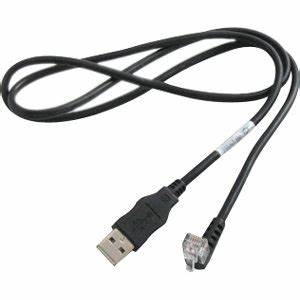
This Datamax 210267 RJ11 cable is the combined RJ11 6P4C and USB-A scanner lead for Datamax-O’Neil barcode scanners, carrying USB HID data and 5 V power alongside the legacy RS-232 or keyboard wedge path. Host end to suit, OEM length. A compatible replacement, not an OEM part.
Overview
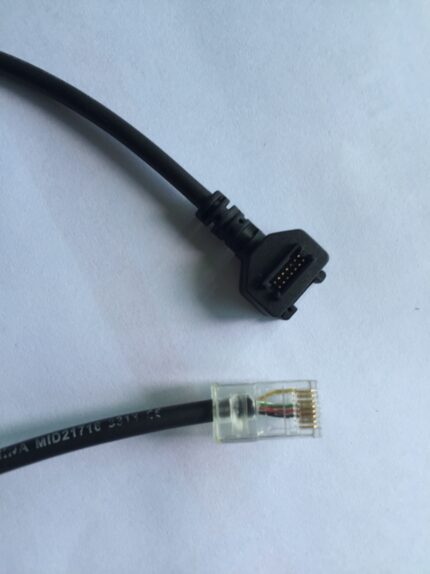
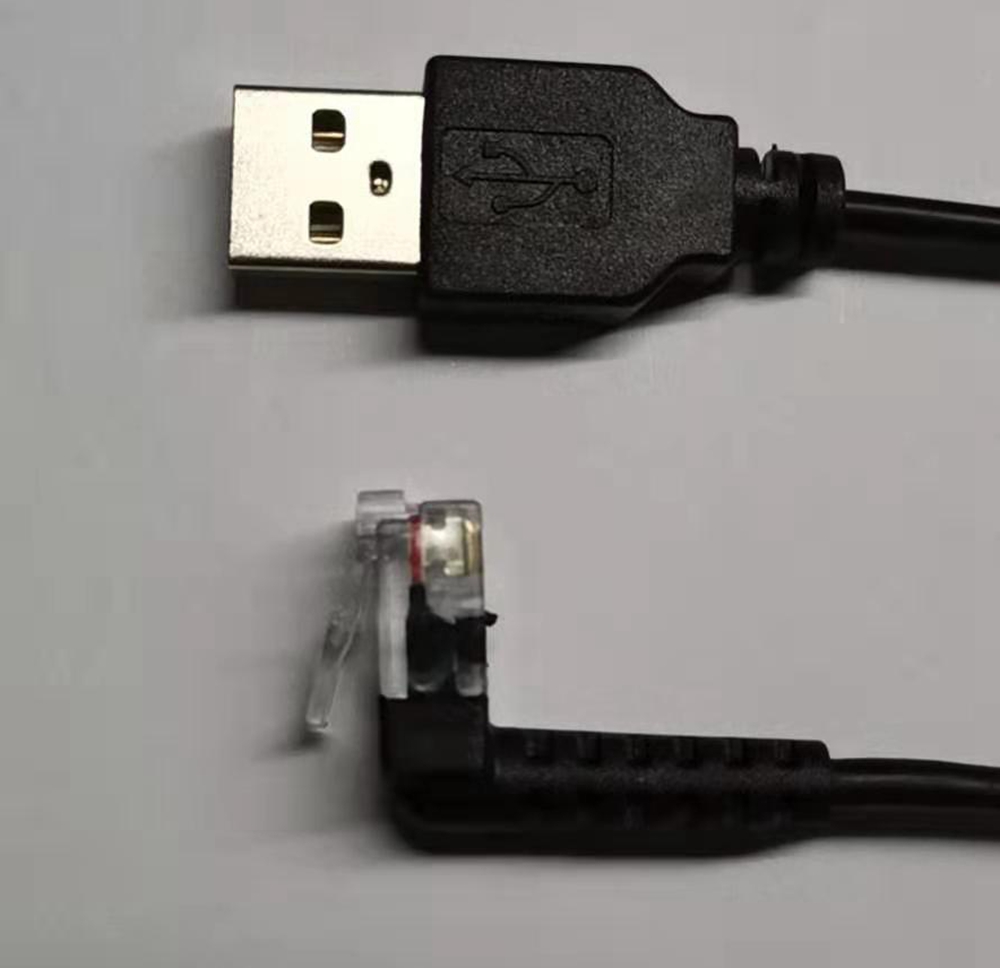
The Datamax 210267 is the combined scanner plug used on Datamax-O’Neil barcode scanners: an RJ11 (6P4C) for the legacy keyboard wedge or RS-232 path, and a USB-A for USB HID data plus 5 V power, both in one body. This Datamax 210267 RJ11 cable is wired to the pin-out and length you specify, with a host end chosen to match whatever the scanner is actually talking to. It is a compatible replacement and not an OEM Datamax part.
Key Specifications
| Connector A | RJ11 6P4C male plus USB-A male, combined scanner plug |
|---|---|
| Connector B | USB-A male and PS/2 or DB9 male, per variant |
| Interface | USB HID data + 5V power + RS-232 or keyboard wedge |
| Data Pair | 28 AWG stranded tinned copper, twisted, foil shield |
| Power Pair (5 V) | 24 AWG stranded tinned copper |
| Signal Lines (RJ11) | 2 to 4 lines for RS-232 or keyboard wedge |
| Overall Shield | Foil with drain wire |
| Jacket | PVC, black, 5 mm OD |
| Length | 1 m to 5 m standard; OEM on request |
| Testing | 100% continuity and pinout, hipot on the finished assembly |
Which host end does your scanner actually talk to?
The scanner end is fixed by the 210267 plug. The host end depends on how old the receiving equipment is – and mixing these up is the usual reason a new cable “does not work”.
| Host end | Interface mode | What it plugs into | Note |
|---|---|---|---|
| USB-A male | USB HID keyboard emulation | Any USB host port | Also carries the 5 V supply for the scanner |
| PS/2 male | Keyboard wedge | PS/2 keyboard port, or a Y-adapter at the keyboard | Scanner data appears as keystrokes; no driver needed |
| DB9 male | RS-232 serial | Serial port or a USB-to-serial adapter | Pin-out depends on the scanner – confirm before ordering |
| USB-A plus DB9 on one lead | Both | Mixed environments during a migration | Common while a site moves from serial to USB |
The cable does not decide the interface – the scanner does
This is the point that saves the most service calls. A keyboard wedge scanner emits keystrokes, an RS-232 scanner emits serial frames, and a USB HID scanner looks like a keyboard to the host. The cable is a passive set of conductors: it carries whichever of those the scanner is configured to produce. If a replacement cable is fitted and nothing appears on screen, check the scanner configuration first – usually a configuration barcode in the manual – before suspecting the wiring.
How do you identify a 210267 scanner plug?
- Look for the combined body: an RJ11 6P4C and a USB-A molded side by side in one overmolded plug, not two separate cables.
- Count the positions on the RJ11 – 6P4C means six positions with four contacts fitted.
- Read the model label on the scanner. The 210267 reference is on the unit, not only on the cable.
- If the plug you have is a plain RJ11 with no USB alongside, you have a different lead and the pin-out will differ.
Why does the original cable fail at the scanner end?
- The combined plug is heavier than a single connector, so it lever-arms the strain relief every time the operator sets the scanner down.
- The RJ11 latch is a small plastic tab that gets crushed in a drawer, after which the plug no longer stays in.
- Handheld scanners live at the end of a flexing loop; the conductors break at the exit, not in the middle of the run.
- Coiled versions lose their memory when they are pulled beyond their working length, and then drag across the bench.
- 5 V over a thin power pair drops far enough that the scanner resets when it fires the illumination LED.
Ordering a Datamax 210267 RJ11 cable: what we need
- The scanner model, and ideally a photo of the plug and the label.
- The host end: USB-A, PS/2, DB9, or a combination.
- The interface mode the scanner is configured for, if you know it.
- Length and whether it should be straight or coiled – see the coiled scanner cable build for the latter.
- The pin-out, if the scanner is an RS-232 unit.
Straight or coiled at the scanner?
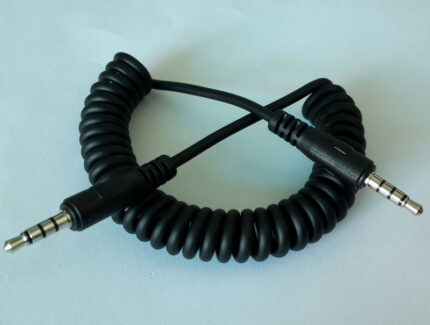
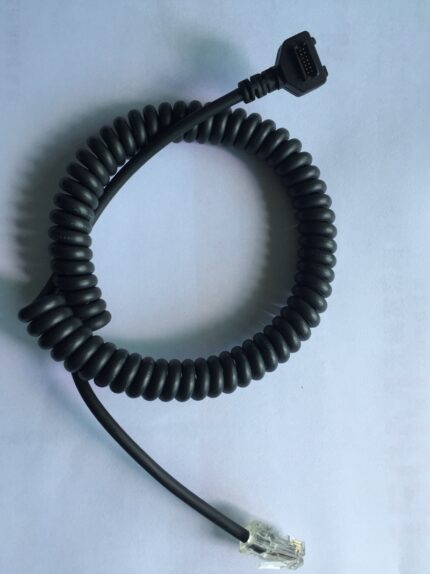
Handheld scanners live in one of two worlds. On a fixed counter where the operator brings the item to the scanner, a straight lead is tidier and takes less abuse. On a bench where the scanner is carried to the item, a coiled cord keeps the slack off the work surface and out of the way of whatever is being scanned. The trade-off is cycle life: a coil adds a flexing element that a straight lead does not have, so if the scanner is pulled to full extension hundreds of times a shift, budget for the coil as a wearing part and keep a spare. Either way, the failure point is the same – the conductors at the back of the plug, where the boot stops the cable from bending and the operator bends it anyway.
How the assembly is built and checked
Datamax 210267 RJ11 builds are assembled and inspected to IPC/WHMA-A-620 Class 3 criteria, with ISO 9001 as the quality system over 32 to 12 AWG work. Every Datamax unit is checked for continuity and pinout before packing, and seal checking is quoted whenever an ingress rating is on the drawing.
Lead time and ordering
Datamax 210267 RJ11 prototype builds start from 1 to 50 pcs and are out in 3 working days; production is quoted from 500 pcs at 14 working days after sample approval. Tooling not already held adds around 10 working days. Your part number and labeling go on OEM and ODM Datamax shipments, and material certificates plus first-article reports are available.
Related builds
- Honeywell scanner USB replacement cable
- Barcode scanner cable with coiled cord
- DB9 to RJ45 serial / console cable
- POS USB-C PD cable for kiosks
- Kiosk and self-service terminal harness
- Coiled telephone handset cable 4P4C / 6P6C
- Reversible USB-A to USB-A Cable, USB 2.0
Full range: signal and data cable assemblies.
RoHS and REACH declarations are provided per project together with the agreed test reports; the documentation scope is listed under certifications and compliance. If your drawing specifies a UL style, we build to that drawing and supply the UL reference with the shipment instead of substituting an equivalent. The molded body is shot on our own presses; material choice and bond behavior follow the process described under overmold materials and injection parameters. The wider context is covered under our test and measurement work. Any tooling we cut for this part stays yours, maintained in our own tool room under your part reference.
Frequently Asked Questions
Is this a genuine Datamax cable?
No. It is a compatible replacement built to the 210267 plug and the pin-out you specify, and it is not an OEM Datamax product.
Will it work if my scanner is configured for keyboard wedge?
Yes, if you order the PS/2 or wedge variant. The cable carries the signals; the scanner decides what those signals are.
Can I get it with both USB and DB9 on the host end?
Yes. That is a common build while a site is migrating from serial hosts to USB hosts.
My scanner is dead after fitting the new cable. What now?
Check the scanner configuration mode against the host end you ordered, then check continuity against the pin-out. Most cases are a mode mismatch rather than a wiring fault.
| Connector A | RJ11 6P4C male plus USB-A male, combined scanner plug |
|---|---|
| Connector B | USB-A male and PS/2 or DB9 male, per variant |
| Interface | USB HID data + 5V power + RS-232 or keyboard wedge |
| Data Pair | 28 AWG stranded tinned copper, twisted, foil shield |
| Overall Shield | Foil with drain wire |
| Jacket | PVC, black, 5 mm OD |
| Length | 1 m to 5 m standard; OEM on request |
| Power Pair (5 V) | 24 AWG stranded tinned copper |
| Signal Lines (RJ11) | 2 to 4 lines for RS-232 or keyboard wedge |
| Testing | 100% continuity and pinout, hipot on the finished assembly |