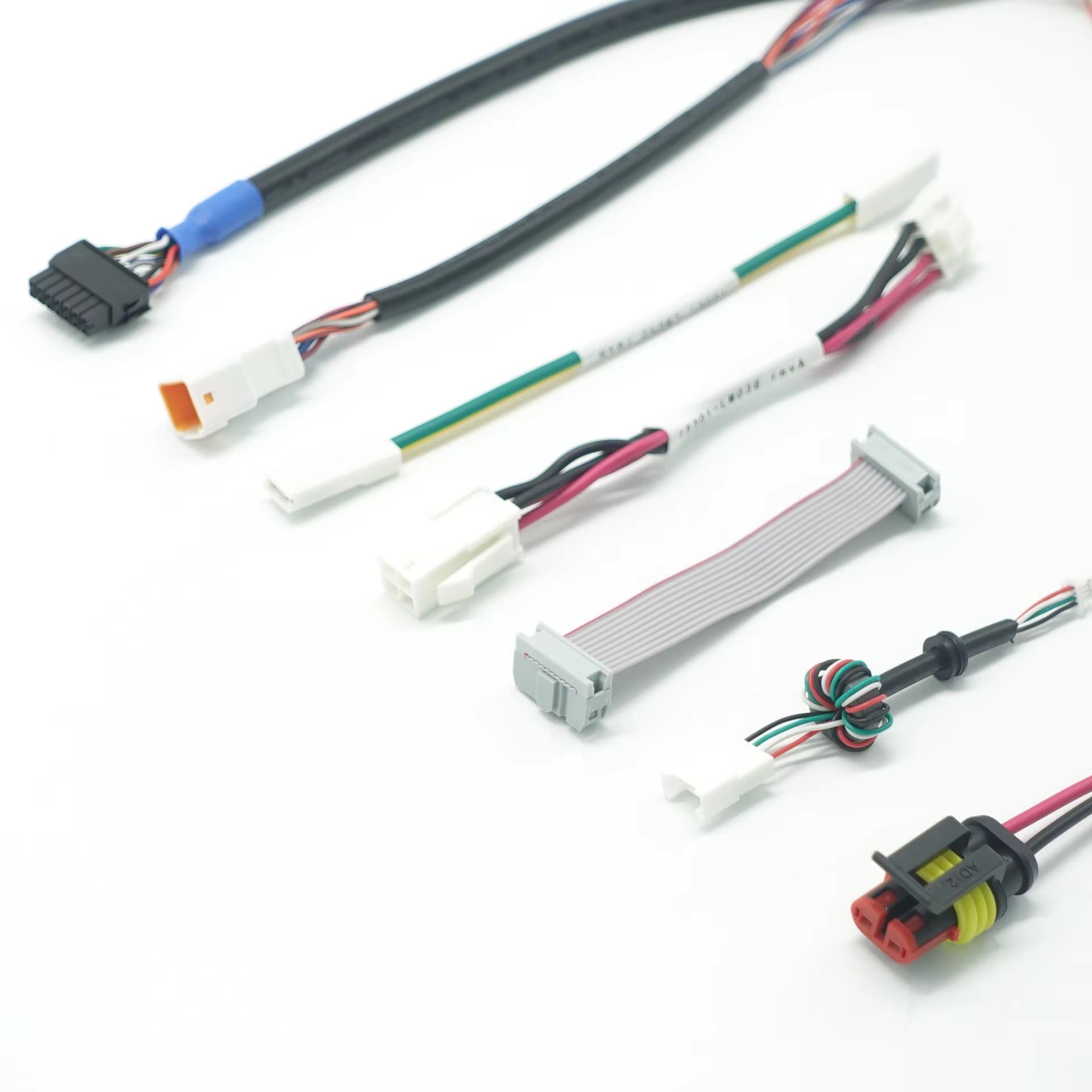
Kiosk and Self-Service Terminal Harness
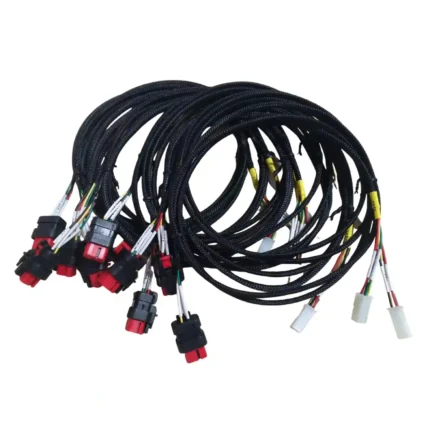
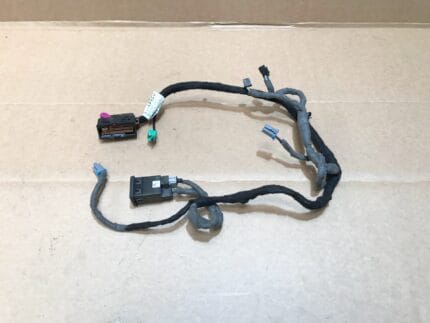
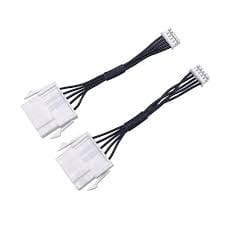
A kiosk terminal harness with mixed JST, Molex and IDC terminations, every branch labeled and ferruled, built to the cabinet layout you send us.
Overview
A kiosk terminal harness has to do one thing that no other harness in the building is asked to do: it has to stay serviceable by a technician who has never seen the machine before, working under a counter, with the unit still live. That is the real design brief. The payment terminal, printer, display, scanner and IO controller were almost never designed by the same team, so the harness is the thing that turns five vendor boards into one machine. Ours arrives labeled, ferruled and cut to your routing, not coiled in a bag with a twist tie.
Key Specifications
| Build | Multi-branch harness to your terminal wiring diagram |
|---|---|
| Terminations | JST, Molex and IDC housings per your BOM |
| Conductors | Discrete and ribbon, per circuit schedule |
| Marking | Branch labels and ferrules at every termination |
| Routing | Tail lengths matched to your cabinet layout |
| Service loops | Hinged-door runs built with a flexing allowance |
| Documentation | Wiring table held against your part reference |
| Revisions | Built to your revision number, reorder-stable |
What kills this cable
Kiosk harnesses fail in a predictable order, and the wire is very near the bottom of the list.
| Stress | Failure seen in the field | Design response |
|---|---|---|
| Hinged door opening for service | Conductor breaks just behind the connector, where the harness is clamped to the door | Service loop with a defined bend radius, clamped on both sides of the hinge |
| Field servicing by different technicians | Branch re-terminated to the wrong housing, or polarity reversed on a DC drop | Keyed housings where the pin count allows it, labels at both ends of every branch |
| Heat build-up in a sealed cabinet | Insulation embrittles near the power supply and the printer driver | Jacket temperature rating selected to the cabinet, not to the room |
| Vibration from printers and cooling fans | Crimp joints work loose at the board header | Ferrules on stranded ends, crimp pull force verified at setup |
| Consumable spill and cleaning agents | Jacket and label degradation on lower cabinet runs | Compound and label stock selected against the cleaning agent |
The door hinge is the hard part
Every self-service terminal has at least one hinged access panel, and every harness that crosses that hinge is a flexing part whether or not anyone drew it that way. Two rules cover most of it. First, the harness must be clamped on both sides of the hinge so the bend happens in a controlled length of cable rather than at the connector. Second, that length has to be generous enough that the bend radius stays above the cable’s minimum at full open – a service loop that pulls taut at 90 degrees is a service loop that will fail.
If the door also carries a display or a card reader, route the branch so the flexing axis is perpendicular to the hinge pin and stays in one plane. A harness that twists as it bends lasts a fraction of one that bends flat.
Routing and fixing inside the cabinet
- Break out at a bracket, not in mid-air. Every branch should have something to react against within a short distance of the split.
- Keep power and signal in separate lanes. Printer and motor feeds run one side, scanner and display data the other, crossing only at right angles where they must cross.
- Leave the service path clear. If a technician has to unplug three things to reach the fourth, the harness is part of the downtime.
- Secure at intervals, not at the ends. A run fixed only at each end will drum against the panel and eventually wear through its own jacket.
Design notes from the build
IDC terminations are pressed and verified rather than eyeballed, and discrete crimps are pull-tested at setup and re-checked in process. Ferrules go on the stranded ends that land in screw terminals, because a stranded end under a screw slowly sheds strands every time the cabinet is serviced. Branch labels are applied before the harness leaves the line, and the wiring table is held against your part reference so a reorder in eighteen months matches the build you approved today.
Revision control is worth raising early. Kiosk programs change boards mid-production more often than most machine programs do, and a harness that is not tied to a revision number becomes a guessing game at the next order. Give us a revision and we build to it.
Typical applications for this kiosk terminal harness
- Payment and check-in terminals with printer, scanner and display branches
- Ticket and queue machines in transport and healthcare sites
- Self-service photo and print kiosks with several power domains
- Vending and unattended retail with hinged service doors
- Information and wayfinding terminals in semi-outdoor locations
- Counter-integrated terminals, alongside our POS USB-C PD Cable for Kiosk and Self-Service Terminals
How to specify your build
- Wiring diagram or a circuit schedule with every branch named.
- Housing families – JST, Molex, IDC, and the part numbers you already buy.
- Cabinet layout, with the hinge positions and the clamp points marked.
- Branch lengths, and which runs cross a moving panel.
- Label format – your part reference, or a scheme we propose.
- Revision number and quantity.
Workmanship and testing
Assembly and inspection follow IPC-WHMA-A-620 Class 3 workmanship criteria under our ISO 9001 quality management system, and every unit passes 100% continuity and pinout testing before packing. Conductor range is 32 to 12 AWG. Crimp pull force is verified at setup for each terminal and wire combination and re-checked in process, so a tooling drift shows up as a failed part on the line rather than a return from the field.
Every production run can ship with RoHS and REACH declarations and the electrical report agreed at quotation; see certifications and material declarations. UL styles and other named approvals are built to drawing: we source to the style you specify and document it, rather than asserting a listing we do not hold. This assembly is built on the four lines covered under the assembly lines behind this build, with nothing in the build handed to an undisclosed subcontractor. Related reading: prototypes and first article inspection. Tooling is quoted separately, cut in-house rather than brokered out, and owned by you.
Custom builds and ordering
Prototypes start from 1 to 50 pcs and ship in 3 working days; production orders start at MOQ 500 pcs and ship 14 working days after approval. Our Longgang, Shenzhen plant runs four assembly lines with 40 assembly workers and an annual output of 1,000,000 pcs, so a reorder is built on the same line to the same wiring table. Factory audits and video line tours can be arranged.
Related harnesses for self-service equipment
- POS USB-C PD Cable for Kiosk and Self-Service Terminals
- Vending Machine Wire Harness with JST and Molex Pigtails
- DisplayPort Screw Lock Cable for Control Room and Kiosk Displays
- Control Cabinet Service Interface with RJ45 and USB-C Front Plate
- Zebra / Symbol Scanner Cable, USB, RS-232 or PS/2
- Barcode Scanner Cable with Coiled Cord, DB9 to RJ45
Full range: custom wire harnesses.
Frequently Asked Questions
Can you work from a sample harness rather than a drawing?
Yes. Send the sample and we will produce a wiring table from it, which you approve before production. The approved table then becomes the reference for reorders.
Do you supply the housings, or do we?
Either. If the housings are on your BOM we build to those part numbers. If you would rather we sourced them, name the family and we quote against it.
Will a reorder match the first batch exactly?
Yes, provided it is placed against the same revision. That is why we ask for a revision number up front rather than a description.
How do you handle a run that crosses a hinged door?
We build a defined service loop, clamped on both sides of the hinge, with the length set so the bend radius stays above the cable minimum at full open. Tell us the opening angle and the clamp positions.
What is the minimum order?
Five pieces is the prototype minimum for Kiosk builds, shipping in 3 working days; the production minimum is 500 pcs, delivered 14 working days after approval.
| Build | Multi-branch harness to your terminal wiring diagram |
|---|---|
| Terminations | JST, Molex and IDC housings per your BOM |
| Conductors | Discrete and ribbon, per circuit schedule |
| Marking | Branch labels and ferrules at every termination |
| Routing | Tail lengths matched to your cabinet layout |
| Documentation | Wiring table held against your part reference |
| Service loops | Hinged-door runs built with a flexing allowance |
| Revisions | Built to your revision number, reorder-stable |
Related products