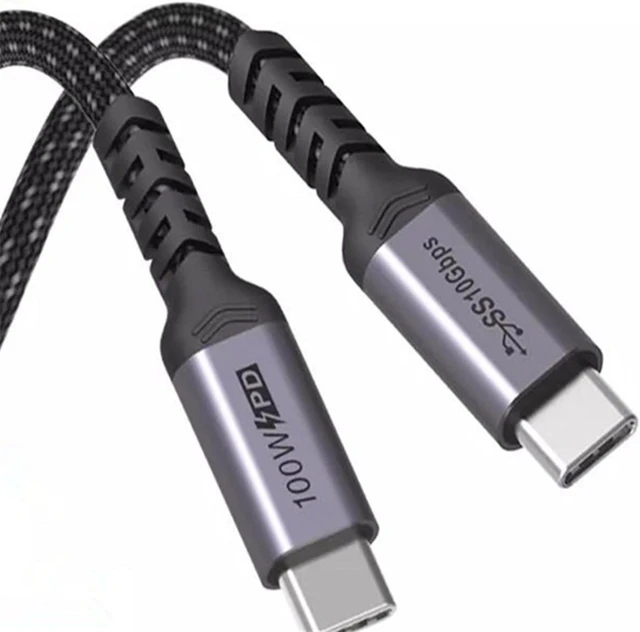
USB-C Gen2 Data Cable, 10 Gbps, with 100 W Power Delivery
A USB-C Gen2 data cable with every position wired rather than a charge-only lead. 10 Gbps data, 100 W power delivery with an E-Marker, DisplayPort alternate mode support, and lengths from 0.3 m to 2 m with a right-angle option.
Overview
Most complaints about a USB-C lead come from one root cause: it charges, but it does not carry data at the rate the buyer expected. That happens when the assembly is wired for power only. A USB-C Gen2 data cable built the way this one is has every position wired, an E-Marker where the power level requires one, and enough screening for the rate – three unglamorous decisions that USB-USB-C Gen2 Data Cable 10 Gbps with 100W PD
Key Specifications
| Product type | USB-C Gen2 data cable |
|---|---|
| Data rate | Quoted 10 Gbps – to be confirmed |
| Power delivery | Quoted 20 V at 5 A, 100 W class – to be confirmed |
| Wiring | All positions wired, not power only |
| Marker | E-Marker fitted – to be confirmed |
| Display support | DisplayPort alternate mode quoted at 1.4 – to be confirmed |
| Lengths | 0.3, 0.5, 1 and 2 m, right-angle option |
| Jacket | PVC or braided, set by the installation |
What “Gen 2” means in USB-IF naming
The naming has been revised more than once, so the same plug is sold under several labels. The rows below are the industry definitions, given so you can match a host and a device to the right lead. They are not our own measured results.
| Name in current USB-IF usage | Defined rate | Where you meet it |
|---|---|---|
| USB 3.2 Gen 1 | 5 Gbps | Peripherals, printers, basic hubs |
| USB 3.2 Gen 2 | 10 Gbps | External SSDs, docks, capture devices |
| USB 3.2 Gen 2×2 | 20 Gbps over two lanes | High rate storage, dual display docks |
| USB4 | 20 or 40 Gbps | eGPU enclosures and high refresh docks |
Note that a Gen 2 link only runs at the lower of what the host, the device and the cable all support. A 10 Gbps drive on a 5 Gbps port runs at 5 Gbps, and no cable changes that.
What full wiring buys you
- Data at the rate both ends support, not a fallback mode negotiated because the high-speed pairs are missing.
- Display output over the alternate mode when the source supports it.
- Power negotiation that follows the charger and the device rather than a fixed level.
- A stable link on longer runs where a charge-only lead would drop and re-enumerate.
Power: 100 W, 20 V at 5 A, and why the E-Marker is there
USB Power Delivery 3.0 standard power range defines up to 100 W at 20 V and 5 A. Anything above the base 3 A current level requires the cable to identify itself, which is what the E-Marker chip does: without it, the source will not offer the higher current and the device charges slowly or not at all. The E-Marker and the 100 W figure on this page are quoted from competitor listings for the class and are listed as requiring supplier confirmation before they become our published specification.
When you must have a fully wired lead
| Scenario | Requirement | What a charge-only lead does |
|---|---|---|
| External SSD or capture device | High-speed pairs present and screened | Device not seen at all, or seen and dropped |
| Wired phone link in a car | Data path, not just power | Session never starts |
| Display over USB-C | Alternate mode wiring and adequate screening | No picture |
| Dock with Ethernet and USB downstream | Full data, plus power delivery into the dock | Dock powers up, nothing on it works |
Choosing a length
Shorter is better for signal margin, longer is better for reaching. For a dock sitting on the desk, 0.5 m is usually right. For a car, 0.3 m keeps the slack out of the way of the gear lever and 1 m reaches a phone on a windscreen mount. The 2 m option is there for a device on the floor or under a desk, and it is the length where you should start thinking about whether an active assembly is the better answer.
Figures from research, not from our datasheet
The 10 Gbps rate, the 20 V and 5 A power contract, the E-Marker, the DisplayPort alternate mode at 1.4 and the standard lengths are all drawn from public competitor data for this class. Each one is on the confirmation list against a supplier datasheet and our own electrical test. We do not imply any brand approval for this product; the descriptions are functional, and any protocol documentation we hold will be stated as such once the supplier files it.
Typical applications for this USB-C Gen2 data cable
- Desk docks and external drives, alongside our USB-C PD charging cable where the run is power only
- Capture devices and audio interfaces with our right angle USB-C cable where the port is against a wall
- Car head units that need a data path, using our car USB-C data cable at the dashboard end
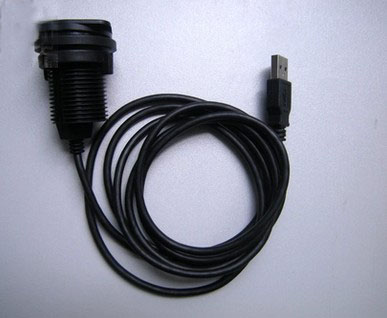
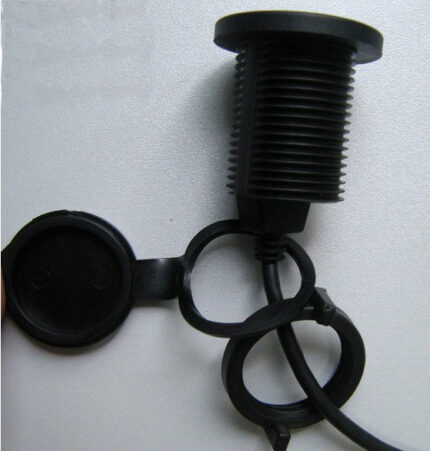
- Panel and cabinet ports built as a dual port USB panel
- Harsher installations stepped up to our IP68 industrial data cable
The rates and modes above are the industry definitions for USB 3.2, quoted so you can match host to device; your assembly is built and verified to the values on your order.
Workmanship and testing
USB-C Gen2 Data builds are made to IPC/WHMA-A-620 Class 3 workmanship inside an ISO 9001 system, over a 32 to 12 AWG range. continuity and pinout are verified on each USB-C assembly before packing, and seal checking is quoted whenever an ingress rating is on the drawing.
Material declarations against RoHS and REACH are issued per project, alongside the dimensional and electrical reports agreed at quotation; see certifications, compliance and material declarations. Where your drawing names a UL style or another approval, the build follows your drawing and ships with the supporting document rather than a claim of our own. Overmold tooling for this part is designed and cut in our own tool room under in-house mold making and overmold tooling, so the tool belongs to your program and a revision is a machining job rather than a new negotiation. More background: what instrument builds require.
Custom builds and ordering
For USB-C Gen2 Data builds, prototypes run from 1 to 50 pcs with a 3 working day turnaround; volume orders begin at 500 pcs and ship 14 working days after sample sign-off. Tooling not already held adds around 10 working days. OEM and ODM USB-C work ships under your part number and labeling, and material certificates and first-article reports are on offer.
Related assemblies
- USB-C PD Charging Cable 240 W PD 3.1 EPR
- Car USB-C Data Cable with Right Angle Plug
- Right Angle USB-C Cable, 80 cm
- Dual Port USB Panel Mount with USB-C 100 W
- IP68 Industrial Data Cable for Serial, USB and Ethernet Ports
- USB4 80Gbps Cable for Docks and eGPU Enclosures
Full range: signal and data cables.
Frequently Asked Questions
My lead charges but the drive is not seen. Why?
It is almost certainly wired for power only. A fully wired assembly carries the high-speed pairs, and that is the difference.
Do I need an E-Marker for 100 W?
Yes for any current level above the base 3 A. The marker is what lets the source offer the higher current at all.
Will a 10 Gbps cable make my drive faster?
Only up to the lower of what the host, the device and the cable support. Check both ends before blaming the lead.
What is the minimum order?
For USB-C Gen2 Data builds, prototypes run from 1 to 50 pcs with a 3 working day turnaround; volume orders begin at 500 pcs and ship 14 working days after sample approval.
| Product type | USB-C Gen2 data cable |
|---|---|
| Data rate | Quoted 10 Gbps – to be confirmed |
| Power delivery | Quoted 20 V at 5 A, 100 W class – to be confirmed |
| Wiring | All positions wired, not power only |
| Marker | E-Marker fitted – to be confirmed |
| Display support | DisplayPort alternate mode quoted at 1.4 – to be confirmed |
| Lengths | 0.3, 0.5, 1 and 2 m, right-angle option |
| Jacket | PVC or braided, set by the installation |