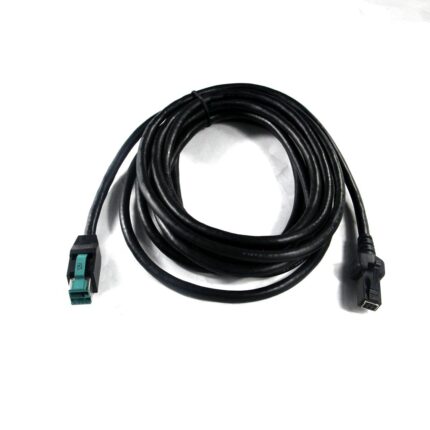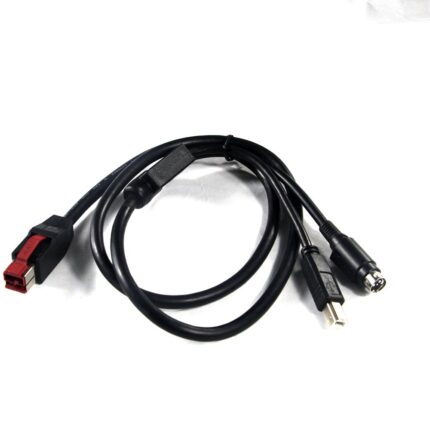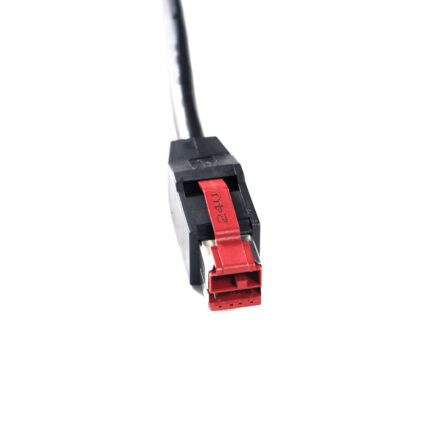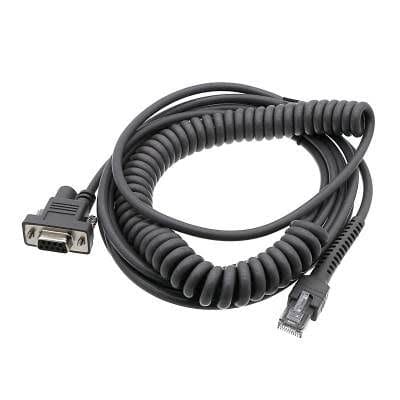
Barcode Scanner Cable with Coiled Cord, DB9 to RJ45
A coiled barcode scanner cable built to the reach your operators need: DB9 or RJ45 host end, your pinout, PUR jacket available for cold stores.
Overview
A coiled barcode scanner cable is what you reach for when the scanner is handheld and the host does not move. The coil lets the operator pull the scanner out to read a pallet and lets the cable retract out of the way when they let go. That is also the part of the assembly that wears out, because a coil is a spring: every pull is a flex cycle, and the failure is nearly always at the point where the coil stops and the straight tail starts. We build the coil to your working reach and anchor it properly at both tails.
Key Specifications
| Connector A | DB9 female, serial RS-232 |
|---|---|
| Connector B | RJ45 8P8C, scanner head end |
| Cable style | Coiled (curly) section with straight tails |
| Interfaces | RS-232; USB and PS/2 builds on the same platform |
| Length | Stretched length build to order |
| Marking | Scanner family printed on the coil |
| Jacket | PVC standard; PUR for cold stores and harsh sites |
| Strain relief | Molded at both ends, coil anchored at the tails |
Specifying the coil: reach, not cable length
The number that matters is the working reach, not the amount of cable. A coil quoted by cable length tells you almost nothing about how far the operator can pull. Give us the relaxed length, the stretched working length, and how many pulls a shift the cable has to survive:
| What to specify | Why it matters | What happens if it is wrong |
|---|---|---|
| Relaxed length | Sets how much cable hangs on the bench | Cable drags on the floor or fouls the packing area |
| Stretched reach | Sets how far the operator can pull | Operator cannot reach the far pallet, or pulls the host over |
| Pull cycles per shift | Sets the conductor and jacket choice | Open circuit at the tail after a few months |
| Tail length each end | Sets where the flex point sits | The coil flexes inside the strain relief and breaks there |
Why the original coil fails
- Overstretching. A coil pulled past its working length takes a permanent set. It stops retracting, then it snags, then it breaks at the tail.
- The tail flex point. If the coil is not anchored where it enters the molded relief, the flex happens inside the mold instead of in the coil, and that is a few hundred cycles rather than tens of thousands.
- Cold. Standard PVC stiffens in a cold store and the coil loses its spring, so operators pull harder. PUR is the right answer there.
- Trolley wheels. On a warehouse bench the coil hangs down and gets run over. A shorter relaxed length or a retracting hanger fixes it.
- Connector side-loading. The DB9 end gets kicked at floor level on a tower PC, and the shell cracks.
Most of these scanners present scanned data as simple serial output or as keystrokes, which is why the same mechanical cable shows up on RS-232, USB and keyboard wedge hosts. If you want the background on how the data is produced, the barcode reader article is a good starting point.
Identifying the cable you have now
- Look at the host end first. A DB9 female means a serial host; a USB-A means a USB host; a mini-DIN means a keyboard wedge. This decides the build more than anything else.
- Look at the scanner end. A modular RJ45 style plug is the common pattern, but the keying and the latch position vary by family.
- Read the label on the scanner, not the cable. The model gets us to the pinout; the cable usually carries no part number at all.
- Measure the coil relaxed and fully stretched, with the scanner in the operator hand.
- Photograph both connector faces straight on, in focus.
We build to the pinout you send or to the model you name. We do not claim to cover every scanner a brand has ever made.
Fitting and verifying a replacement
- Fit the host end first, with the host powered down if it is a serial port.
- Seat the scanner end until the latch clicks. A half-seated modular plug scans intermittently, which is easy to misread as a failing scanner.
- Scan a known good label, then a damaged one, and check what the host receives in both cases.
- Pull the scanner to full reach and let it retract ten times before you sign it off.
- Confirm the host still sees the data at full stretch, not just at the bench.
Typical Applications for This Coiled Barcode Scanner Cable
- Warehouse packing benches with a fixed host and a handheld scanner
- Retail and grocery checkouts still running serial or keyboard wedge hosts
- Production line stations where the scanner has to reach into a tote
- Cold stores and food plants, where the jacket choice matters more than anything
- Fleet replacements where the same scanner model is deployed across several sites
How to specify your build
- Host interface: RS-232, USB or keyboard wedge.
- Scanner model, from the label on the unit.
- Coil reach: relaxed and stretched lengths.
- Tail lengths at each end.
- Jacket: PVC, or PUR for cold and grease.
- Marking, if you want your part number on the coil.
- Quantity, and whether this is a prototype or a production order.
Workmanship and testing
Assembly and inspection follow IPC/WHMA-A-620 Class 3 workmanship criteria under our ISO 9001 quality management system, and every unit passes 100% continuity and pinout testing before it is packed. Conductor range is 32 to 12 AWG. Coil builds get a pull-and-return check on the production batch so a coil that has taken a set does not reach you. Ratings quoted for the interface are the industry-standard values; the values your assembly is built and verified to are the ones stated on your drawing.
Material declarations against RoHS and REACH are issued per project, alongside the dimensional and electrical reports agreed at quotation; see certifications, compliance and material declarations. Where your drawing names a UL style or another approval, the build follows your drawing and ships with the supporting document rather than a claim of our own. Where this build needs an overmold, the tool is designed, cut and maintained in our own shop under in-house mold making and overmold tooling, and it is never used for another customer’s program. Related reading: what instrument builds require.
Custom builds and ordering
Barcode Scanner prototypes start from 1 to 50 pcs and ship in 3 working days; series supply starts at 500 pcs and takes 14 working days after approval. Tooling not already held adds around 10 working days. Barcode builds ship under your part number and labeling for OEM and ODM orders, and material certificates and first-article reports can be supplied.
Related scanner and coiled assemblies
Most sites standardise on one scanner family, so these usually get ordered together:
- Zebra / Symbol Scanner Cable, USB, RS-232 or PS/2
- Honeywell Scanner Cable, USB Replacement Build
- Coiled Retractable Cable for Instruments and Tools
- Coiled Telephone Handset Cable 4P4C / 6P6C
- Datamax 210267 RJ11 plus USB Barcode Scanner Cable
- Verifone Vx680 14-Pin to RJ45 Coiled Ethernet Cable
- DB9 to RJ45 Serial / Console Cable
Full range: signal and data cable assemblies.
Questions Before You Order
Can I have a USB host end instead of a DB9?
Yes. The same platform is built with USB, RS-232 or keyboard wedge host ends. Give us the scanner model and the host port.
How far can the coil stretch?
You tell us. Quote the reach you need and we build the coil to it rather than selling you a fixed length.
Will this work in a cold store?
With a PUR jacket, yes. Standard PVC stiffens when it is cold and loses its spring, which is when coils start to fail.
My scanner scans but the data is garbled.
That is usually a pinout mismatch or a half-seated plug rather than a scanner fault. Check the seating first, then the pinout against the model.
What is the minimum order?
Barcode Scanner prototypes start from 1 to 50 pcs and ship in 3 working days; series supply starts at 500 pcs and takes 14 working days after sample approval.
| Connector A | DB9 female, serial RS-232 |
|---|---|
| Connector B | RJ45 8P8C, scanner head end |
| Cable style | Coiled (curly) section with straight tails |
| Interfaces | RS-232; USB and PS/2 builds on the same platform |
| Length | Stretched length build to order |
| Marking | Scanner family printed on the coil |
| Jacket | PVC standard; PUR for cold stores and harsh sites |
| Strain relief | Molded at both ends, coil anchored at the tails |