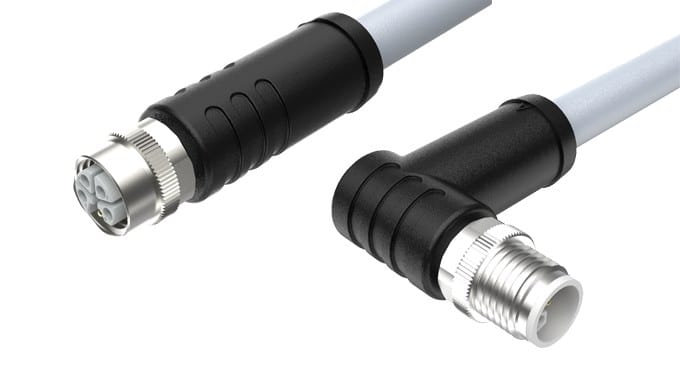
M12 X-Coded Cat6A Cable to RJ45 for Machine Vision
An M12 X-coded Cat6A cable to RJ45 carries 10 Gigabit Ethernet from an IP67 camera or AGV back to a standard switch port. Push-pull shell, four shielded pairs, 360 degree screen, halogen-free PUR jacket.
Overview
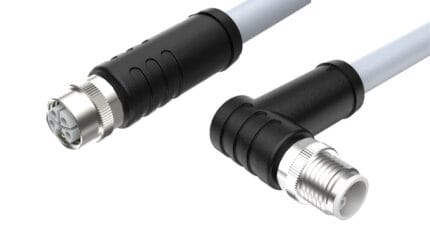
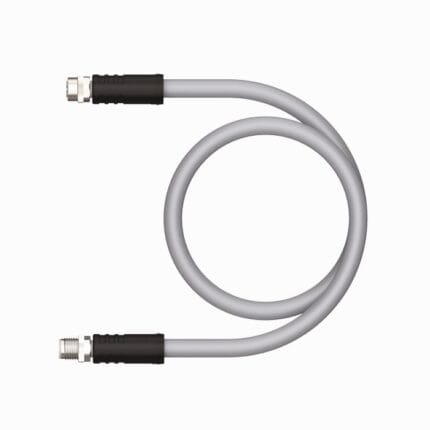
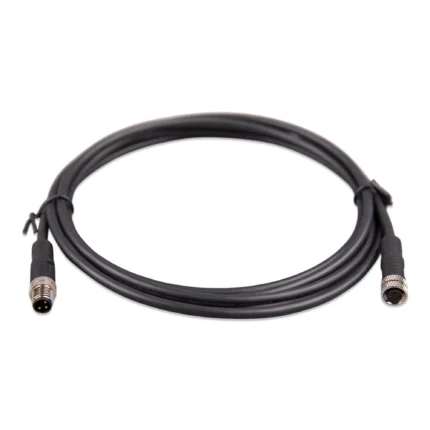
A camera does not care about connector fashion; it cares about getting frames off the sensor fast enough to keep the line moving. A M12 X-coded Cat6A cable to RJ45 runs 10 Gigabit Ethernet from an IP67 device on the machine back to a standard RJ45 port in a cabinet or on a switch: an eight-position X-coded push-pull connector on one end, an industrial RJ45 plug on the other. It is the assembly used where the device end sits somewhere a coupling nut cannot be turned.
Key Specifications
| Connector A | M12, 8 positions, X-coded, push-pull locking |
|---|---|
| Connector B | RJ45 plug, industrial |
| Category | Cat6A (pending supplier datasheet) |
| Frequency and data rate | 500 MHz / 10 Gbps (pending supplier datasheet and channel test) |
| Shielding | Four-pair cable with 360 degree screen termination at the M12 shell |
| Jacket material | Halogen-free PUR |
| Ingress rating | IP65 / IP67 when mated (pending supplier test report) |
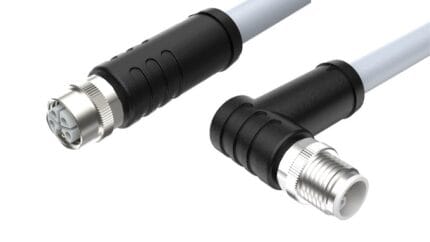
| Versions | Straight / right-angle |
| Lengths | 0.5 m to 20 m (longer runs subject to channel budget check) |
| Typical uses | Machine vision cameras, AGV on-board Ethernet, high density panel faces |
| Compliance files | RoHS and REACH declarations pending supplier confirmation |
Start from the frame rate, not the connector
The bandwidth a vision link needs is the product of resolution, bit depth and frame rate, plus the overhead the transport adds. A camera specified on paper at a headline frame rate usually needs more of the link than the datasheet suggests once you account for several cameras on one switch, trigger bursts, and the headroom you want before frames start dropping. Work that sum out first, then decide whether gigabit is enough or whether you genuinely need ten. Where it is enough, a D-coded or a screw-lock RJ45 build is cheaper and easier to service; where it is not, this is the assembly.
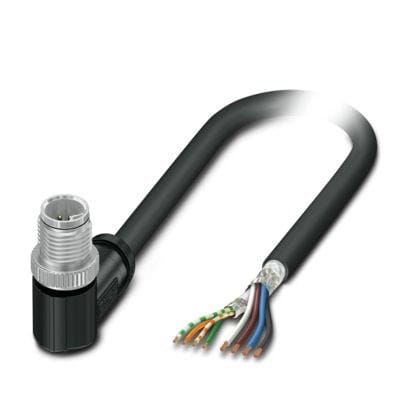
X-code 8-position pair map
Four pairs around the shell, separated by the shield structure inside the connector so pair-to-pair coupling stays low at 500 MHz.
| Pin | Pair | Color | Function |
|---|---|---|---|
| 1 | Pair 1 | White/orange | BI_DA+ |
| 2 | Pair 1 | Orange | BI_DA- |
| 3 | Pair 2 | White/green | BI_DB+ |
| 4 | Pair 2 | Green | BI_DB- |
| 5 | Pair 3 | White/blue | BI_DC+ |
| 6 | Pair 3 | Blue | BI_DC- |
| 7 | Pair 4 | White/brown | BI_DD+ |
| 8 | Pair 4 | Brown | BI_DD- |
The RJ45 end is normally terminated to T568B unless you tell us otherwise, and the pair-to-pin mapping across the transition is done to your drawing. Category 6A is a channel property: the cable, both connectors and the way they are terminated all have to hold it together.
X is the ten gigabit coding, and the pair map is only half the specification: the keyway is what stops it being mated with a four-pair A-coded part. The full set, A to Y, is in the coding reference in our download center.
Why X-coding and why push-pull
X-coding arranges the four pairs around the shell with enough separation between them to hold the pair-to-pair coupling performance that 10GBASE-T depends on, and the keying prevents the plug being mated into a D-coded or A-coded receptacle carrying lower-speed traffic. Push-pull is about access rather than speed. A screw coupling needs clearance around the connector for a hand or a wrench; a push-pull shell locks when pressed home on the inner latch and releases when the outer sleeve is pulled back, so it can be mated by feel in a gap where a threaded nut will not turn.
The coding family, sorted by what it will carry
When a panel carries more than one coding, this is the quick way to check that nobody has specified the wrong shell.
| Code | Contacts | Speed class | Typical home |
|---|---|---|---|
| X | 8 | Up to 10 Gbit/s | Vision, Cat6A backbone |
| D | 4 | 100 Mbit/s | PROFINET, EtherNet/IP, EtherCAT |
| A | 3 to 12 | Signal only | Sensors, actuators, IO-Link |
| B | 4 to 5 | 12 Mbit/s fieldbus | PROFIBUS-DP |
| P | 4 | 100 Mbit/s plus power | EtherCAT P drops |
| Y | 8 (4+4) | 100 Mbit/s plus power | Cobot joints, AMR clusters |
| C | 3 to 6 | AC power | AC sensors and actuators |
| S | 2+PE / 3+PE | Single-phase AC | Mains distribution |
| K | 4+PE | Three-phase AC | Motor feeds |
| M | 5 to 6 | Servo power | Servo motors with brake |
| T | 2 to 4 | DC power | DC drives |
| L | 4+FE | DC power | IO-Link power, AGV supplies |
Cable, shielding and lengths
The cable is a four-pair construction with a halogen-free PUR jacket, and the connector shell carries a 360 degree screen termination so the braid is clamped all the way around rather than pigtailed to a drain wire. A continuous screen matters more at 500 MHz than at 100 MHz: an intermittent screen shows up as link renegotiation and dropped frames rather than a clean failure, which is slow to diagnose on a line that is running. Straight and right-angle versions are available from 0.5 m to 20 m. Longer runs should be checked against the actual channel budget, including the RJ45 patch leads at each end.
Numbers to confirm
Bandwidth, data rate, ingress rating and shielding figures quoted for this range come from the published data of comparable industrial Ethernet products and are not yet confirmed against our own datasheet. Ask for the supplier datasheet and, for vision applications that push the link hard, any channel test report covering the exact length you plan to install.
Typical applications for this M12 X-coded Cat6A cable
- Gigabit and 10 Gigabit machine vision cameras on packaging and inspection lines
- On-board Ethernet inside AGV and mobile robot chassis
- High density panel faces where adjacent connectors leave no room for a tool
- Cabinet-to-machine runs that must be unmated for service without disturbing neighbors
How to specify your build
- Device end – X-coded push-pull, straight or right-angle.
- Switch end – RJ45, and the pinning convention you use.
- Length, including the patch leads in the channel budget.
- Cable category you have to hold – Cat6A or lower.
- Jacket – halogen-free PUR, or a drag-chain build if it moves.
- Quantity, prototype or production.
Workmanship and testing
For M12 X-Coded Cat6A builds the line runs to IPC/WHMA-A-620 Class 3 under ISO 9001, terminating 32 to 12 AWG. Every M12 build gets a continuity and pinout check before it is boxed, and seal checking is quoted whenever an ingress rating is on the drawing.
RoHS and REACH declarations are provided per project together with the agreed test reports; the documentation scope is listed under certifications and compliance. If your drawing specifies a UL style, we build to that drawing and supply the UL reference with the shipment instead of substituting an equivalent. Overmold material is selected for how it bonds to the jacket, following the method set out under overmolding and injection molding. More background: cable assemblies for industrial automation and robotics. Any tooling we cut for this part stays yours, maintained in our own tool room under your part reference.
Custom builds and ordering
M12 X-Coded Cat6A prototype lots start from 1 to 50 pcs and ship in 3 working days; production requires 500 pcs and runs 14 working days after sample approval. Tooling not already held adds around 10 working days. Your part number and labeling go on OEM and ODM M12 shipments, and material certificates and first-article reports are available on request.
Related Ethernet and M12 assemblies
- M12 X-Code Cat6A to RJ45 Shielded Industrial Ethernet Cable
- M12 Push-Pull X-Code Cat6A Industrial Ethernet Cable
- Cat6A M12 X-Coded Patch Cord, 8-Pin M12 to RJ45, PUR
- Cat6A M12 X-Code Link Cable, X-Coded 8-Pin Both Ends, IP67
- Cat6A S/FTP GigE Vision Screw-lock Cable for Drag Chain, 26AWG High-Flex
- M12 D-Code 4-Pin PROFINET Industrial Ethernet Cable
Full range: circular M8 and M12 cable assemblies.
Frequently Asked Questions
Do I need Cat6A for a gigabit camera?
Usually not. Gigabit runs happily on a Cat5e class channel. Cat6A earns its place when the frame rate or several cameras on one uplink push you to 10 gigabit.
Why push-pull instead of a screw coupling?
Access. A push-pull shell can be mated by feel where there is no room to turn a nut, which is common behind a camera shroud or on a dense panel.
Can I get 20 m or longer?
Up to 20 m is standard. Longer runs are possible but should be checked against the real channel budget including the patch leads at each end.
What is the minimum order?
Evaluation units run from 1 to 50 pcs, turned around in 3 working days. Volume starts at 500 pcs and ships 14 working days after approval.
Do you build the panel receptacle too?
Yes, X-coded bulkhead receptacles with flying leads or a PCB tail, so the panel side keeps the same coding.
| Connector A | M12, 8 positions, X-coded, push-pull locking |
|---|---|
| Connector B | RJ45 plug, industrial |
| Category | Stated per your drawing |
| Frequency and data rate | 500 MHz / 10 Gbps class |
| Shielding | Four-pair cable with 360 degree screen termination at the M12 shell |
| Jacket material | Halogen-free PUR |
| Ingress rating | IP65 / IP67 when mated |
| Versions | Straight / right-angle |
| Lengths | 0.5 m to 20 m (longer runs subject to channel budget check) |
| Typical uses | Machine vision cameras, AGV on-board Ethernet, high density panel faces |
| Compliance files | RoHS and REACH |