Dual USB-C Twin Port Car Dashboard Flush Mount Extension Cable with Bracket
A dual usb c twin port cable puts two USB-C sockets in one flush dash bracket, 60 W or 100 W Power Delivery per port, so two devices charge at full rate at once. 32-26 AWG per leg, black PVC or TPE jacket, 1 m / 2 m / 3 m.
Overview
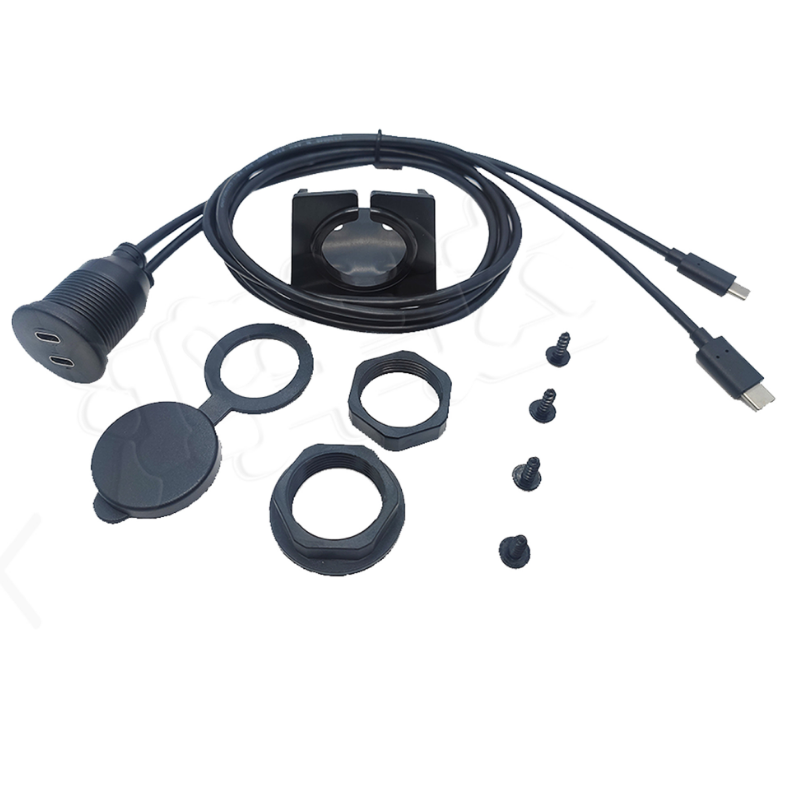
A dual usb c twin port cable is two USB-C panel sockets on one bracket, each leg capable of Power Delivery: 60 W at 20 V and 3 A per port, or 100 W at 20 V and 5 A where the build carries an e-marker and the source negotiates for it. That is enough to charge two phones at full rate, or a phone and a laptop, which is a different proposition from the older 5 V twin-port panels. Each leg runs 32-26 AWG conductors, the jacket is black PVC with TPE available, and lengths are 1 m, 2 m and 3 m. The two things to get right are the source – a 100 W panel fed from a 30 W adapter is a 30 W panel – and the e-marker, which is the chip that tells the source what the cable can carry.
Key Specifications
| Connector A | 2x USB-C Male |
|---|---|
| Connector B | 2x USB-C Female, panel mount |
| USB specification | USB 2.0 480 Mbps; USB 3.1 Gen1 5 Gbps; USB 3.1 Gen2 10 Gbps |
| Power | 60 W (20 V / 3 A) per port; 100 W (20 V / 5 A, e-marker) per port |
| Conductor | 32-26 AWG per leg |
| Jacket material | Black PVC; black TPE on request |
| Cable length | 1 m / 2 m / 3 m |
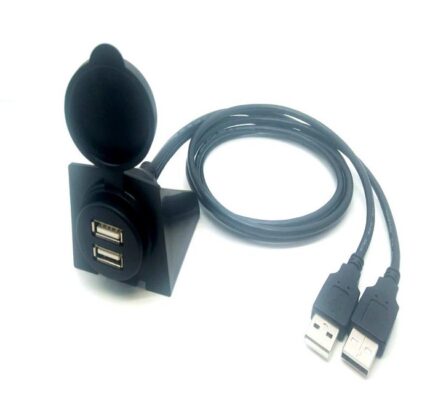
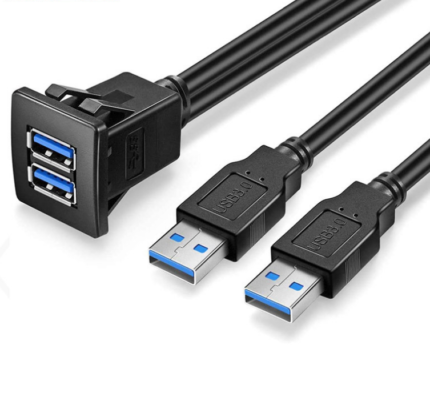
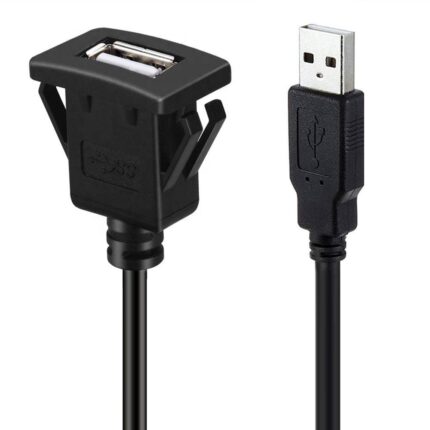
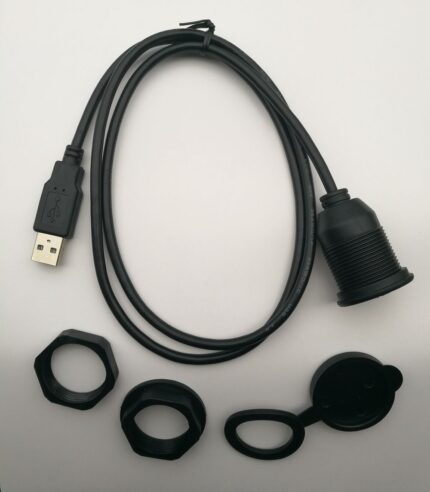
| Mounting | Twin-port flush mount bracket, 28-30 mm cut-out, screw and cap |
| Cut-out diameter | 28-30 mm round |
| Application | Car, marine and motorcycle dashboards; two phones charging at once |
The E-Marker, and why it is not optional above 3 A
Above 3 A, the USB Type-C specification expects the cable to identify itself. That identifier is an e-marker chip in one of the plug shells, and it carries the current capability and the voltage rating of the assembly. Without it, a source that is capable of 5 A will not offer 5 A, because it has no way of knowing whether the cable can take it. You get a cable that physically plugs in, charges, and quietly never delivers what the panel was supposed to deliver. If the build is specified at 100 W, specify the e-marked version.
| Power level | Voltage and current | E-marker | What it charges |
|---|---|---|---|
| 15 W | 5 V at 3 A | Not required | Phones at standard rate |
| 60 W | 20 V at 3 A | Not required at 3 A | Phones fast, tablets, small laptops |
| 100 W | 20 V at 5 A | Required | Laptops and larger tablets at full rate |
| Above 100 W | Extended power range | Required, with the right marker | Workstation-class laptops |
Which USB-C panel build do you need?
Three questions decide it: how many ports, how much power, and whether the port carries data. A port that only ever charges does not need 10 Gbps conductors, and a port that only ever carries data does not need 5 A power conductors. Paying for both when you need one is the most common over-specification we see on this family.
| Build | Ports | Power | Best for |
|---|---|---|---|
| Single USB-C | 1 | 60 W or 100 W | One device, phone or laptop |
| Twin USB-C | 2 | 60 W or 100 W per port | Two devices at full rate |
| Twin USB-A | 2 | Legacy 5 V charging | Fleets still on USB-A device cables |
| Mixed A and C | 1 of each | Split budget | Mixed device fleets |
| Data-only USB-C | 1 | Low | Diagnostics and media transfer, no charging |
Build the power budget before you order
Two ports at 100 W is 200 W, and no vehicle accessory socket and very few head units will supply that. The panel is the visible part of a chain that starts at the vehicle supply, so size the chain from the source backwards: what the source can deliver, what the run can carry, and what the two devices will actually draw. Also remember that Power Delivery is a negotiation – if either device asks for less, or the source cannot supply more, the whole port settles at the lower level and no amount of cable changes that.
| Install | Realistic total | Source needed | Note |
|---|---|---|---|
| Two phones at fast charge | 30 to 45 W | A 45 W dual-port PD adapter | Well inside this build at any stock length |
| Phone plus a laptop | 60 to 100 W | A 100 W PD source, or a DC-DC feed | Check the source before blaming the panel |
| Two laptops | 130 to 200 W | A dedicated DC-DC supply, fused | Not a head unit port; size the feed properly |
| Long run to a rear cabin | Whatever the devices draw | Sized for the drop as well as the load | Tell us the length and we will size the conductors |
Where a dual usb c twin port cable earns its keep
- Cars, vans and trucks where a driver and a passenger both run modern phones
- Fleet and service vehicles charging a phone and a handheld terminal at once
- Marine and RV panels that want one bracket instead of two holes, see the Dual Port USB Panel Mount with USB-C 100 W
- Rear-cabin and sleeper installs feeding a laptop and a phone
- Installs that need a single port instead, compare the Single USB-C Female Flush Extension
- Panels that want a threaded metal body, see the Flush Mount USB-C Receptacle
- Exposed or washdown locations, where the sealed option is the Waterproof USB-C Panel Pigtail
- Cabinet and console service ports, see the Control Cabinet Service Interface
Failure modes on USB-C panel builds
Under-specified sources, as above, account for most complaints. After that: a bracket cut-out marginal enough that the wider twin body rocks, which over a season cracks the flange; a USB-C socket that has collected lint and no longer seats fully, which shows up as slow charging rather than no charging; and heat. A 100 W port in a dash that is already hot is a demanding environment, and a socket that is warm to the touch after a short charge is telling you the contact interface is no longer what it was.
What we treat as a target rather than a claim
Ratings shown here are the industry-standard description of what the Dual USB-C Twin Port interface family is defined to do, not test results from a part of ours. Your assembly is built and verified to the values on your drawing, which we check against the supplier datasheet before quoting.
How to specify your build
- Power per port – 60 W, or 100 W with an e-marker.
- Data rate – USB 2.0, 5 Gbps or 10 Gbps, and whether the port carries data at all.
- Port count and types – two USB-C, or a mixed A and C bracket.
- Source – what will actually feed the panel, and what it can deliver.
- Length – 1 m, 2 m or 3 m, or your measured route length.
- Jacket – black PVC as standard, TPE where flexibility matters.
- Quantity and whether this is a prototype or a production order.
Workmanship and testing
Dual USB-C Twin Port builds are made to IPC/WHMA-A-620 Class 3 workmanship inside an ISO 9001 system, over a 32 to 12 AWG range. 100% continuity and pinout are verified on each Dual assembly before packing, and seal checking is quoted whenever an ingress rating is on the drawing.
Every production run can ship with RoHS and REACH declarations and the electrical report agreed at quotation; see certifications and material declarations. UL styles and other named approvals are built to drawing: we source to the style you specify and document it, rather than asserting a listing we do not hold. The strain relief and molded body are produced on tooling we cut ourselves see overmold tooling cut in our own tool room so the tool is quoted separately, owned by you, and available for repeat runs years later. Related reading: our engineering review process.
Custom builds and ordering
For Dual USB-C Twin Port builds, prototypes run from 1 to 50 pcs with a 3 working day turnaround. Volume orders begin at 500 pcs and ship 14 working days after approval. Tooling not already held adds around 10 working days. OEM and ODM Dual work ships under your part number and labeling, and material certificates and first-article reports are on offer.
Related panel and USB-C hardware
- Dual Port USB Panel Mount with USB-C 100 W
- Flush Mount USB-C Receptacle, Threaded M21 Body
- Waterproof USB-C Panel Pigtail, 10 Gbps
- Aramid Reinforced USB-C Cable
- BYOD Active USB-C Cable for Meeting Rooms
Full ranges: panel mount cable, signal and data cables and custom wire harnesses.
Frequently Asked Questions
Do I really need the e-marker?
Above 3 A, yes. A source that can deliver 5 A will not offer it to a cable that cannot identify itself, so an unmarked 100 W build behaves like a 60 W one.
Will both ports do 100 W at the same time?
Only if the source can supply 200 W and the run can carry it. Most vehicle sources cannot, so check the source first – the panel is rarely the limit.
Is USB-C better than USB-A for a vehicle panel?
For modern devices, yes: it is reversible, it carries far more power, and it is where the device fleet has gone. If the fleet still uses USB-A cables, a mixed bracket avoids adapters.
Can I get a data-only version?
Yes. If the port never charges anything, there is no reason to pay for 5 A power conductors, and a lighter build is easier to route behind a dash.
| Connector A | 2x USB-C Male |
|---|---|
| Connector B | 2x USB-C Female, panel mount |
| Cable length | 1 m / 2 m / 3 m |
| USB specification | USB 2.0 480 Mbps; USB 3.1 Gen1 5 Gbps; USB 3.1 Gen2 10 Gbps |
| Power | 60 W (20 V / 3 A) per port; 100 W (20 V / 5 A, e-marker) per port |
| Conductor | 32-26 AWG per leg |
| Jacket material | Black PVC; black TPE on request |
| Mounting | Twin-port flush mount bracket, 28-30 mm cut-out, screw and cap |
| Cut-out diameter | 28-30 mm round |
| Application | Car, marine and motorcycle dashboards; two phones charging at once |