5m 10m 15m Active USB-C Cable for Meeting Rooms and Classrooms
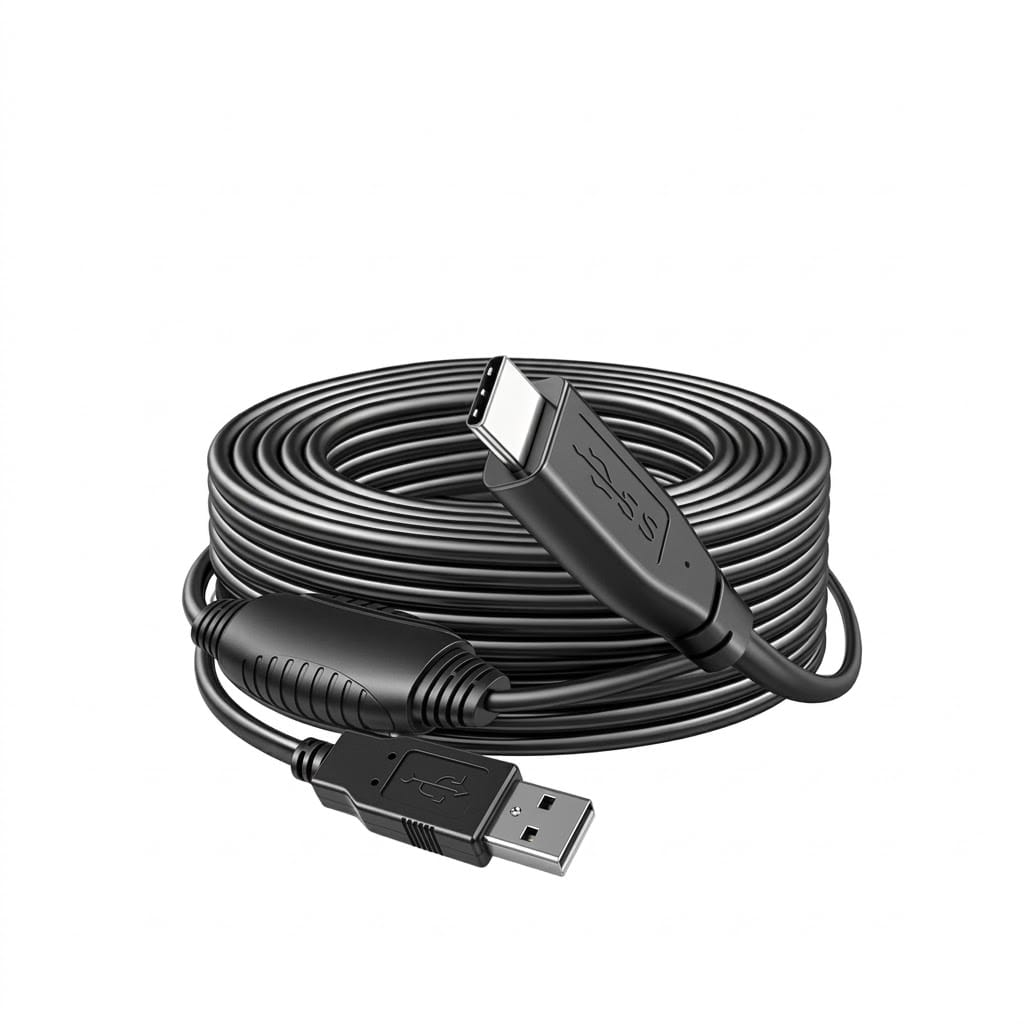
A BYOD active USB-C cable built for the duty cycle of a shared room: a different laptop plugged in several times a day, pulled, stepped on and coiled by whoever is presenting. 5 m and 10 m, carrying data, video and charge over one connector.
Overview
A hybrid meeting room works until the lead on the table stops working. Bring-your-own-device sessions mean a different laptop plugged in several times a day, so the cable gets pulled, stepped on and coiled by whoever is presenting. A BYOD active USB-C cable in this range is built for that duty cycle rather than for a desk that one person uses: an active assembly at 5 m and 10 m carrying data, video and charge over a single connector.
Key Specifications
| Product type | Active USB-C cable for BYOD rooms |
|---|---|
| Length options | 5 m and 10 m |
| Data rate | USB 3.2 Gen 2 class, 10 Gbps – design target |
| Video | DisplayPort Alt Mode 4K60 – design target, to be confirmed |
| Power delivery | Up to 100 W – design target, to be confirmed |
| Accessories | Desk grommet adapter, magnetic base |
| Fitment | Compatible with Logitech Rally, Neat and Barco style room systems |
| Duty | Specified for repeated daily plug cycles by different users |
What “active” means, and why a room needs it
A passive copper lead loses margin with length, and the loss shows up as a silent fallback rather than an error. An active assembly puts electronics in the connector bodies to condition the signal, which is why it can be specified at 5 m and 10 m where a passive lead cannot. The naming below is the USB-IF industry definition, quoted so you can match the room system to the cable.
| Class | Defined signaling rate | Realistic passive reach |
|---|---|---|
| USB 3.2 Gen 1 | 5 Gbps | A few meters, and it varies by host |
| USB 3.2 Gen 2 | 10 Gbps | Under 1 m for most passive assemblies |
| Active USB-C | Quoted 10 Gbps class here | 5 m and 10 m, subject to host testing |
Where the standard requires an active build
| Room situation | Requirement | What a passive lead does |
|---|---|---|
| Table run of 5 m or more | Active assembly at the rate required | Falls back to a lower rate or drops out |
| 4K60 video to the room display | Alt Mode carried, and bandwidth for it | Blank screen, or 1080p instead of 4K |
| Laptop charging from the table | Power delivery at the length used | Charges slowly, or not at all |
| Camera and audio on the same link | Stable data path under video load | Camera drops mid-call |
Power and video are separate negotiations
This is the part that catches people out. A cable can enumerate at the correct data rate and still fail to negotiate a video mode, and the user only sees a blank screen. Video runs over DisplayPort Alt Mode, which is negotiated separately from the data rate and separately again from the power contract. All three have to succeed for the room to work, which is why we test video end to end rather than testing the data rate and assuming the rest.
Accessories that matter more than they look
Two small parts decide whether a room stays working:
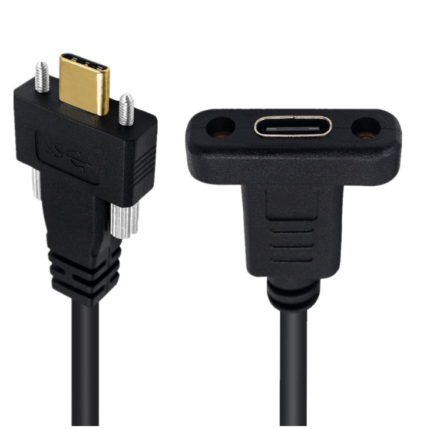
- Desk grommet adapter – lets the lead pass through the table and stay there instead of lying loose across the surface, where it gets pulled sideways every session.
- Magnetic base – keeps the laptop end within reach of the person sitting down, so nobody drags the cable across the table to find it.
Both are supplied with the assembly rather than offered as an afterthought, because a room where the cable has gone missing by Tuesday is a room that does not work.
Deployment: standardize per room type
Standardize on one length per room type, label both ends, and keep the spare in the AV cupboard rather than in the room. Small huddle rooms rarely need more than 5 m. Training rooms and classrooms are where the 10 m run earns its cost, because the presenter usually stands away from the table. Fitment covers Logitech Rally, Neat and Barco style room systems, and we match the room system on the order.
Figures still to be confirmed
The data rate, the 4K60 Alt Mode support and the 100 W power figure are drawn from competitor listings for this product class and are design targets here. They need bench testing with the room systems and laptops the customer actually runs, because active assemblies and long runs both negotiate differently depending on the host. The values your assembly is built and verified to are the ones stated on your order.
Typical applications for this BYOD active USB-C cable
- Huddle rooms and small meeting rooms on a 5 m table run
- Training rooms and classrooms where the presenter stands away from the table
- Boardrooms with a room bar, alongside our USB-C to DisplayPort cable where the display has a native input
- Lecture theaters with a longer run, using our USB-C active optical cable beyond 10 m
- Room furniture and lecterns built up with a control cabinet service interface
The sessions these rooms run are BYOD by definition, which is why the duty cycle rather than the headline rate is what this assembly is specified against.
Workmanship and testing
ISO 9001 covers the system and IPC/WHMA-A-620 Class 3 covers the work on BYOD Active USB-C builds, across 32 to 12 AWG. Every BYOD build gets a continuity and pinout check before it is boxed, and seal checking is quoted whenever an ingress rating is on the drawing.
Every production run can ship with RoHS and REACH declarations and the electrical report agreed at quotation; see certifications and material declarations. UL styles and other named approvals are built to drawing: we source to the style you specify and document it, rather than asserting a listing we do not hold. Termination, molding and verification happen in-house see cable assembly and wire harness production so the process that made your sample is the process that runs the order. The wider context is covered under cable assemblies for test and measurement. Tooling is quoted separately, cut in-house rather than brokered out, and owned by you.
Custom builds and ordering
BYOD Active USB-C lots run from 1 to 50 pcs, out in 3 working days. Volume starts at MOQ 500 pcs shipping 14 working days after approval. Tooling not already held adds around 10 working days. BYOD orders go out under your part number and labeling, OEM or ODM, and material certificates and first-article reports come with them on request.
Related assemblies
- USB-C Active Optical Cable for Long-Reach USB4 Class Links
- USB-C to DisplayPort Cable for High Refresh Monitors
- Active Optical HDMI Cable for Boardrooms
- Control Cabinet Service Interface with RJ45 and USB-C
- Dual Port USB Panel Mount with USB-C 100 W
- USB-C Gen2 Data Cable, 10 Gbps, with 100 W Power Delivery
Full range: signal and data cables.
Frequently Asked Questions
Why is the room display blank when the laptop says it is connected?
Video over Alt Mode is negotiated separately from the data rate. The cable can enumerate correctly and still fail to agree a video mode, so we test video end to end rather than testing data and assuming the rest.
Do I need 10 m in a huddle room?
Rarely. 5 m covers a small table. The 10 m run earns its cost in training rooms and classrooms where the presenter stands away from the table.
Will it charge the laptop as well?
Up to 100 W is the design target, and it needs bench testing with the hosts you actually run because active assemblies negotiate differently by controller.
What is the minimum order?
BYOD Active USB-C lots run from 1 to 50 pcs, out in 3 working days. Volume starts at MOQ 500 pcs shipping 14 working days after approval.
| Product type | Active USB-C cable for BYOD rooms |
|---|---|
| Length options | 5 m and 10 m |
| Data rate | USB 3.2 Gen 2 class, 10 Gbps – design target |
| Video | DisplayPort Alt Mode 4K60 – design target, to be confirmed |
| Power delivery | Up to 100 W – design target, to be confirmed |
| Accessories | Desk grommet adapter, magnetic base |
| Fitment | Compatible with Logitech Rally, Neat and Barco style room systems |
| Duty | Specified for repeated daily plug cycles by different users |