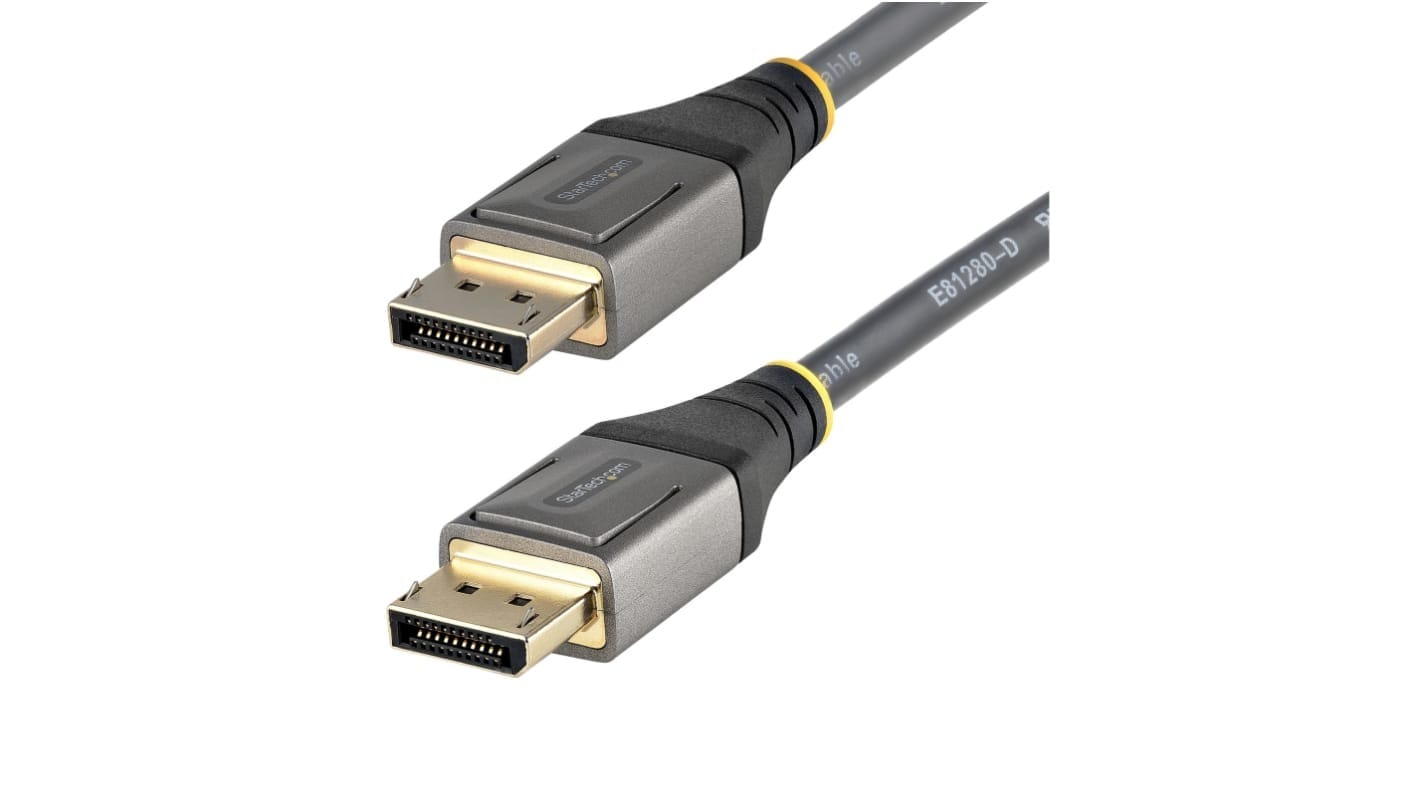
DisplayPort Screw Lock Cable for Control Room and Kiosk Displays
A DisplayPort screw lock cable replaces the factory friction fit with two retaining screws, so a screen on an arm, a trolley or a kiosk cannot shake itself loose. Check the source device has threaded holes before you order.
Overview
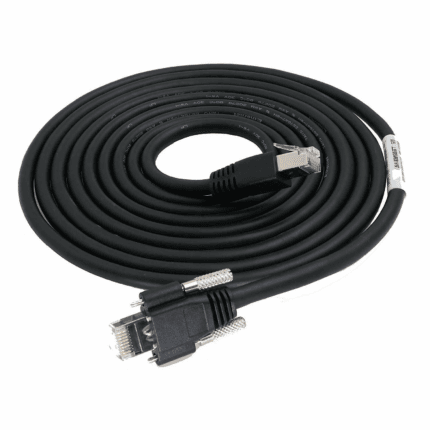
A DisplayPort screw lock cable exists because the connector was designed for a desk and is increasingly being installed somewhere else. On a control-room wall, an imaging workstation on a trolley or a self-service kiosk in a public lobby, the display end of the lead is never touched gently: screens get rotated on their arms, carts get wheeled between rooms, and everything at waist height gets knocked. The standard plug relies on friction or a small latch, and under that treatment it works its way out – and the failure looks like a graphics driver problem rather than a cable problem. This cordset clamps the plug into the panel threads with two retaining screws. The one thing to check before ordering is whether the source end has threaded holes to accept them.
Why the standard retention lets go in a rack
A DisplayPort plug is retained one of two ways. Some are pure friction fit, held by the spring contacts in the shell. Others carry a latch: a small catch that engages a notch in the socket and has to be pressed to release. Both are entirely adequate on a desk where the cable is fitted once and then left alone. Neither is designed for a screen that moves, a cabinet that vibrates, or a public enclosure where anybody can tug the lead. The friction type creeps out under repeated small movements; the latch type releases when something pulls on the cable, and it is also easy to break off inside the socket if it is forced.
| Retention | How it holds | Suits | Fails when |
|---|---|---|---|
| Friction fit | Spring grip of the shell in the socket | Desk setups, equipment that is never moved | Continuous vibration or repeated small movements creep the plug out |
| Latching plug | A catch engaging a notch in the socket | Equipment that is regularly unplugged | A pull on the cable releases it; the catch can break if forced |
| Screw retention | Two screws into threaded holes either side of the socket | Kiosks, control rooms, carts, machine-mounted HMIs | The socket has no threaded holes to accept them |
Check the source end before you order
This is the part buyers get wrong, and it is worth being blunt about it. The screws on a retained plug need threaded holes in the socket they mate with, and not every device has them. Plenty of add-in cards and small-form-factor PCs ship a DisplayPort socket with no threaded holes at all; some use a latching mechanism instead of screws, and some have neither. So a retained plug at the display does not automatically give you a retained link – it gives you a retained display end and a source end that behaves exactly as it did before.
- Look at the shell around the port: threaded holes either side of the socket are what the screws need.
- Industrial and medical displays usually have them. Consumer graphics cards frequently do not.
- Send us a photograph of both ports and we will tell you what will actually fit.
- We can build retaining screws on one end and a standard or latching plug on the other, which is the usual answer when only one side has threads.
What the assembly has to hold
DisplayPort is a high-rate differential link that negotiates its operating mode between the source and the sink, so the assembly has to hold its pair geometry and keep crosstalk down or the link falls back to a lower rate or drops out altogether. That is a construction question, not a chipset question. We build these with individually screened differential pairs, a consistent lay so the pairs do not drift relative to each other along the length, and an overall braid bonded into the connector shell at both ends so the return path runs through the plug rather than stopping at it. The auxiliary channel and the hot-plug detect conductor are wired through as standard. Every assembly is checked before it leaves the bench.
Key specifications
| Connector A | DisplayPort plug, screw-retained variant |
|---|---|
| Connector B | DisplayPort plug, retained or standard, or Mini DisplayPort on request |
| Interface | DisplayPort, VESA standard video and audio interface |
| Retention | Retaining screws at the display end – source end must be checked |
| Compatibility note | Not every source socket has threaded holes – verify before ordering |
| Conductors | Individually screened differential pairs plus auxiliary channel |
| Shielding | Overall braid bonded to the connector shell at both ends |
| Jacket | PVC as standard, PUR or low-smoke options on request |
| Application | Control rooms, imaging workstations, kiosks, industrial HMI panels |
| Length | Made to order |
Typical applications for this DisplayPort screw lock cable
- Video walls and operator desks in control rooms
- Medical imaging workstations and review displays on mobile carts
- Self-service kiosks and ticketing machines in public areas
- Industrial HMI panels mounted on machine arms
- Digital signage runs behind wall-mounted screens
- Test benches and laboratory rigs where the display gets moved between runs
What to specify
- Length, and whether the run is fixed or moves with the display arm.
- Whether the source device has threaded holes, a latch, or neither – a photograph settles it.
- Which end needs the retaining screws, or both.
- Straight or right-angle at the display end, and which way it must exit.
- Mini DisplayPort if one side needs it.
- Cleaning agents or jacket requirements for the installation, and the quantity.
Workmanship and testing
Build standard for DisplayPort Screw Lock builds is IPC/WHMA-A-620 Class 3 under ISO 9001, with terminations from 32 to 12 AWG. continuity and pinout are checked on every DisplayPort unit before packing, and seal checking is quoted whenever an ingress rating is on the drawing.
Material declarations against RoHS and REACH are issued per project, alongside the dimensional and electrical reports agreed at quotation; see certifications, compliance and material declarations. Where your drawing names a UL style or another approval, the build follows your drawing and ships with the supporting document rather than a claim of our own. Overmold tooling for this part is designed and cut in our own tool room under overmold tooling cut in our own tool room, so the tool belongs to your program and a revision is a machining job rather than a new negotiation. More background: how we handle build-to-print orders.
Custom builds and ordering
On DisplayPort Screw Lock builds, prototype lots run from 1 to 50 pcs and leave in 3 working days. Production runs of 500 pcs and up ship 14 working days after approval. Tooling not already held adds around 10 working days. DisplayPort OEM and ODM shipments carry your part number and labeling, and we provide material certificates and first-article reports when asked.
Related video and screw-lock assemblies
- DP80 DisplayPort Cable with Latching Connector where a latch is what the socket accepts
- USB-C to DisplayPort Cable for high refresh monitors
- 8K HDMI Screw Lock Cable Assembly with M3 panel screws
- DVI Screw Lock Cable, DVI-D and DVI-I for legacy industrial PCs
- Kiosk and Self-Service Terminal Harness for the internal wiring
- Control Cabinet Service Interface with RJ45 and USB-C front plate
The interface and its versions are covered in the DisplayPort reference. Full ranges: Screw-Lock Molded Cable • Audio Video Cable • Panel Mount Cable.
Frequently Asked Questions
Will the screws fit my graphics card?
Not necessarily. The screws need threaded holes either side of the socket, and plenty of add-in cards and small-form-factor PCs do not have them. Send a photograph of the port and we will confirm.
Can I have screws at one end only?
Yes, and it is the most common build: retaining screws on the display, a standard or latching plug at the source. It is the right answer when only one side of the link has threads.
Why does my screen drop out when someone walks past the kiosk?
Because the plug is moving in the socket. The link renegotiates or drops when contact is interrupted, and the symptom looks like a driver or a graphics fault rather than a mechanical one.
Do you offer Mini DisplayPort?
Yes, on request at either end. The same retention question applies – check whether the socket around it has threaded holes.
What is the minimum order?
On DisplayPort Screw Lock builds, prototype lots run from 1 to 50 pcs and leave in 3 working days. Production runs of 500 pcs and up ship 14 working days after approval.
| Connector A | DisplayPort plug, screw-retained variant |
|---|---|
| Connector B | DisplayPort plug, retained or standard, or Mini DisplayPort on request |
| Interface | DisplayPort, VESA standard video and audio interface |
| Retention | Retaining screws at the display end – source end must be checked |
| Compatibility note | Not every source socket has threaded holes – verify before ordering |
| Conductors | Individually screened differential pairs plus auxiliary channel |
| Shielding | Overall braid bonded to the connector shell at both ends |
| Jacket | PVC as standard, PUR or low-smoke options on request |
| Application | Control rooms, imaging workstations, kiosks, industrial HMI panels |
| Length | Made to order |