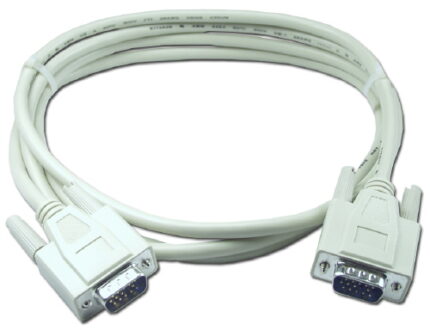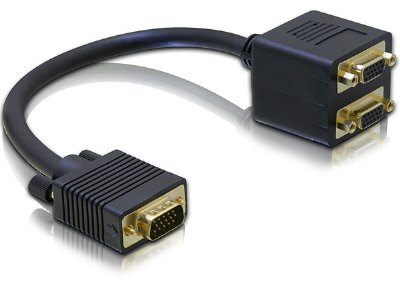
VGA HD15 1 Male to 2 Female Y Splitter
A vga hd15 y splitter feeding one analog RGBHV source into two monitors at once, passively. Coaxial cores to both outputs, thumbscrews throughout, short pigtail, leg lengths and DDC wiring to your drawing.
Overview
This vga hd15 y splitter feeds one analog RGBHV source into two
displays at the same time, with no amplifier in the box. One HD15 plug goes into the PC or switch
output, and two HD15 sockets come out the other side. It is a cheap way to duplicate a picture, and in
a surprising number of installations it is also the wrong way, because analog video is not designed to
be split by a piece of wire. Knowing what the split does to the signal — before you build a room
around it — is the whole point of this page.
Key Specifications
| Connector A | VGA HD15 male, thumbscrews |
|---|---|
| Connector B | VGA HD15 female socket x 2, thumbscrews |
| Cable Length | Short pigtail (typical 30–50 cm) |
| Jacket | Black PVC |
| Application | One PC to two monitors (passive) |
| Signal | Analog RGBHV, coaxial cores to both outputs |
| Sync wiring | Shared horizontal and vertical sync |
| DDC wiring | Stated per your drawing |
| Body | Molded splitter body with two female shells |
| Build | Length, jacket color and pinout per your drawing |
What a vga hd15 y splitter does to the analog signal
An analog video output is designed to drive one 75 ohm termination: the input of one display. Put
two displays on the same pair of cores and you have two terminations in parallel, so the source sees
roughly half the impedance it was built for. The immediate effect is a drop in video level, which reads
as a dark, washed-out picture. The second effect is more subtle: the cable is no longer correctly
terminated at its characteristic impedance, so fast edges reflect, and on a long run those reflections
show as ghosting — a faint second image offset to the right of the first.
Both of these get worse with distance and with resolution, which is why the same splitter can look
perfect on a 2 m run and unusable on a 15 m one. The
VGA
interface has no retry and no error correction, so whatever arrives is what you watch.
| Check | What you need | If it fails |
|---|---|---|
| Do both displays want the same resolution and refresh rate? | Yes, exactly the same | The source can only output one timing; a passive Y cannot scale |
| Is the run to each display short? | Keep both legs short | Move to a distribution amplifier with a separate output stage per leg |
| Do the displays need EDID? | Both may answer on the DDC bus | Two devices talking on one bus gives a confused or failed read |
| Are the pictures the same brightness? | They should be close | A big difference means one leg is longer or differently loaded |
| Is any ghosting visible on text? | There should be none | Shorten the legs, or go active |
The EDID problem nobody expects
Modern displays tell the source what resolutions they support over the DDC pair, and the source
picks a timing from that list. Two displays on one DDC bus both answer when the host asks, and the
result is unpredictable: some hosts take the first reply, some read a garbled block and fall back to a
safe low resolution, and some refuse to output at all. If your installation depends on both displays
running their native resolution, do not use a passive Y. Use a distribution amplifier, or a graphics
card with two outputs, which is what most control rooms end up doing.
Where the splitter sits in the chain
Put the split as close to the source as you can, and keep the two legs similar in length. A
splitter at the far end of a long cable has to divide a signal that has already been attenuated, and
any reflection from the mismatch travels the whole way back to the source. Unequal legs give unequal
pictures: the longer leg arrives later and at a lower level, so one display is dimmer and slightly
softer than the other, and no amount of adjustment at the displays will fix it. Where one display has
to sit far away, split at the source and put amplification on that leg only, rather than extending the
passive split and hoping for the best.
Where a passive Y is exactly right
None of the above makes it useless. It is the correct answer when the two displays are close
together, identical, and set to the same resolution, and when a momentary mismatch is an annoyance
rather than a show stopper.
- A presentation display plus a confidence monitor at the lectern, both set to the same timing
- Duplicating a control-room screen onto a wall display across a short run
- Feeding a local monitor and a projector in a small meeting room
- Test benches where two identical screens show the same output
- Temporary setups, where a distribution amplifier would be another box to power
For anything longer, or for mixed displays, put a proper distribution amplifier after the source and
run a separate cable to each display. Where the source is digital and the displays are not, convert at
the source once and use
a proper 75 ohm coax run for the
distribution instead.
How to specify your build
- Leg lengths — the two outputs do not have to be the same length, but tell us
both. - Displays — make, model and the resolution you will run.
- DDC handling — wired through, wired to one leg only, or omitted.
- Pigtail length from the source plug to the split body.
- Quantity, and whether this is a one-off or a production item.
VGA HD15 1 Male builds are made to IPC/WHMA-A-620 Class 3 workmanship inside an ISO 9001 system, over a 32 to 12 AWG range. continuity and pinout are verified on each VGA assembly before packing, and seal checking is quoted whenever an ingress rating is on the drawing.
Custom builds and ordering
For VGA HD15 1 Male builds, prototypes run from 1 to 50 pcs with a 3 working day turnaround; volume orders begin at 500 pcs and ship 14 working days after approval. Tooling not already held adds around 10 working days. OEM and ODM VGA work ships under your part number and labeling, and material certificates and first-article reports can be supplied.
Every production run can ship with RoHS and REACH declarations and the electrical report agreed at quotation; see certifications and material declarations. UL styles and other named approvals are built to drawing: we source to the style you specify and document it, rather than asserting a listing we do not hold. This assembly is built on the four lines covered under our assembly lines in Longgang, with nothing in the build handed to an undisclosed subcontractor. More background: our broadcast and pro AV work. Tooling is quoted separately, cut in-house rather than brokered out, and owned by you.
Related video and panel assemblies
- 6 in Mini-DIN6 PS/2 Male to 2 Female Y Splitter
- 13W3 to VGA (HD15) Mixed-Contact D-Sub Cable
- 2V2 / 3W3 / 5W5 Mixed-Contact D-Sub Cable
- Cat6 RJ45 Panel-Mount Extension Cable
- Control Cabinet Service Interface with RJ45
- 12G-SDI Coax Cable Assembly, BNC to BNC
Full range: audio and video cable assemblies.
Frequently Asked Questions
Will this give me two independent screens with different content?
No. It duplicates one output. Extended desktop needs two outputs on the graphics card.
The picture is dark on both screens. Why?
Two terminations in parallel halve the load the source sees and the video level drops. Shorten the
legs or use a distribution amplifier.
My PC picked a low resolution. Is that the splitter?
Probably, yes. Two displays answering on one DDC bus confuses the host. Order the build with DDC
wired to one leg only, or use an amplifier.
Can I chain a splitter onto a splitter for four screens?
Please do not. Each level halves the load again and the picture will be unusable.
| Connector A | VGA HD15 male, thumbscrews |
|---|---|
| Connector B | VGA HD15 female socket x 2, thumbscrews |
| Cable Length | Short pigtail (typical 30–50 cm) |
| Jacket | Black PVC |
| Application | One PC to two monitors (passive) |
| Signal | Analog RGBHV, coaxial cores to both outputs |
| Sync wiring | Shared horizontal and vertical sync |
| DDC wiring | Stated per your drawing |
| Body | Molded splitter body with two female shells |
| Build | Length, jacket color and pinout per your drawing |
Related products
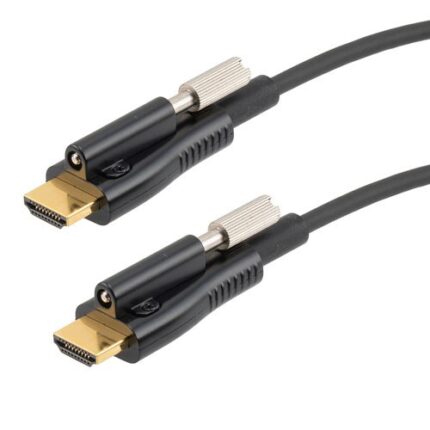
Active Optical HDMI Cable for Boardrooms and Ceiling Projectors
An active optical HDMI cable puts the high speed signal path onto fiber so a long boardroom or ceiling projector run stays slim enough to pull through conduit. Marked source and display ends, aramid strength member, hybrid copper for power and control. Tell us the route and we quote the length with a service loop.
USB-C to DisplayPort Cable for High Refresh Monitors
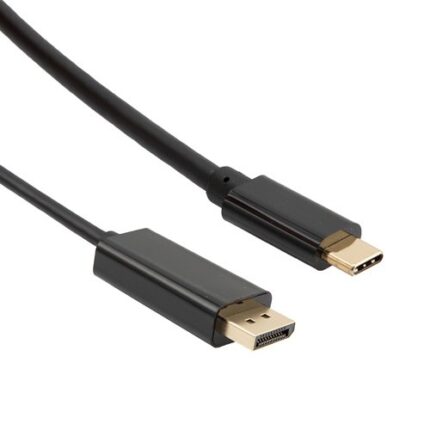
A USB-C to DisplayPort cable carries native DisplayPort signaling out of a USB-C port, bi-directional and without a converter in the path. Latching shell, gold plated contacts, reinforced molding at the USB-C end. Tell us your source, monitor and target refresh format and we will build the length to it.