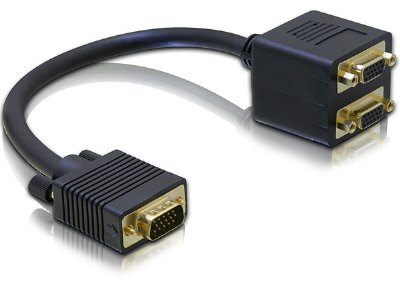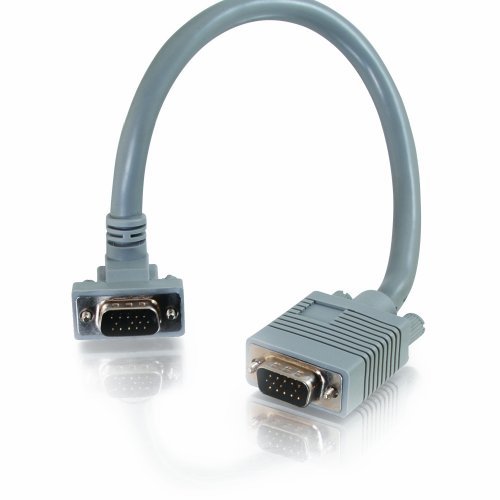
VGA HD15 Monitor Extension Cable
This vga hd15 monitor cable is a male-to-male analog RGBHV extension for short runs between a PC, switch or distribution amplifier and a monitor or projector. Coaxial RGB cores and separate sync conductors, thumbscrews at both ends, length and pinout to your drawing.
Overview
A vga hd15 monitor cable is the link you reach for when the equipment
on both ends is analog and there is no budget to replace it. The HD15 shell, also written DE-15 or
D-sub 15, carries red, green and blue as three separate 75 ohm video signals plus horizontal and
vertical sync, which is why the picture degrades gracefully over distance instead of falling off a
cliff the way a digital link does. That same property is also the trap: an analog run that is
marginally too long does not stop working, it just gets softer, and the fault gets blamed on the
monitor. This extension is built male to male with thumbscrews at both ends, for short runs between a
PC, a matrix switch or a distribution amplifier and a monitor or projector.
Key Specifications
| Connector A | VGA HD15 male, thumbscrews |
|---|---|
| Connector B | VGA HD15 male, thumbscrews |
| Cable Length | Custom on request (short extension typical) |
| Jacket | Gray PVC |
| Application | PC to monitor / projector over short distances |
| Signal | Analog RGBHV over 75 ohm coaxial cores |
| Sync conductors | Separate H and V sync cores |
| DDC wiring | Stated per your drawing |
| Shell | Molded body with two thumbscrews per end |
| Build | Custom length, jacket color and pinout per your drawing |
What actually travels on the 15 pins
Five of the pins carry the picture and the rest exist to keep those five clean, to identify the
display, or to do nothing at all. Knowing which is which tells you what a cheap cable can get away
with omitting. The shell is defined as part of the
VGA connector
family, and the convention below is the one most equipment follows.
| Pin | Signal | What goes wrong if it is missing |
|---|---|---|
| 1 / 2 / 3 | Red, green, blue video, nominally 0.7 V into 75 ohm | Missing or washed-out color, or no picture |
| 6 / 7 / 8 | Returns for the three video signals | Ghosting and hum bars when shared on one thin drain |
| 13 / 14 | Horizontal and vertical sync | Rolling, tearing, or a display that will not lock |
| 10 | Sync return | Unstable lock on long runs |
| 12 / 15 | DDC data and clock (SDA / SCL) | The PC cannot read the display EDID and falls back to a low resolution |
| 9 | +5 V supply on some hosts | EDID read fails; mostly harmless on direct connections |
| 4 / 11 | ID bits, often unused | Usually nothing; a few hosts change behavior on them |
Read this as the starting point for a conversation, not as a guarantee. Where a DDC path matters
for your installation, say so when you order and the pair will be wired and verified to the pinout on
your drawing.
How far can you push an analog run?
Analog video has no error correction and no eye diagram threshold to hide behind. Three things eat
the picture as the cable gets longer: capacitance across the coaxial cores rounds off the fast edges,
so fine text loses contrast before anything else; the sync amplitude arrives lower than it left, and
some displays stop locking before the picture looks bad; and any imbalance between the three video
cores shows up as color fringing on high-contrast edges. Ground potential difference between the PC
and the display is the fourth problem, and it is independent of length.
- Keep the total run, source to display, as short as the room allows. Extension plus patch cables
add up faster than people expect. - Above the length where text starts to soften, move to an active VGA extender or a balun over
structured cabling rather than a thicker passive cable. - Where the source is digital, convert once at the source and run
Ultra High Speed HDMI or an
active optical HDMI cable
instead of extending analog at all. - Bond the equipment to one mains reference. A hum bar that moves when you touch the chassis is not
a cable fault.
Why the thumbscrews are not decoration
A 15-pin D-sub shell has no latch. Everything that holds the plug in the socket is the friction of
15 contacts plus two 4-40 screws. In a fixed installation that is fine; in anything that gets moved,
plugged by a visitor, or mounted on a lectern, an unscrewed VGA plug works loose, and a loose VGA plug
gives you an intermittent color rather than no picture — which is the worst kind of fault to diagnose
from a help desk. Two practical rules: tighten both screws finger-tight after mating, and where the
socket side has lost its threaded inserts, replace the plate rather than relying on the fit.
Typical applications for this vga hd15 monitor cable
- Extending a wall-plate or floor-box VGA socket out to a desk
- Short patch leads between a matrix switcher and its output panel
- Meeting-room PC to projector, where the projector is already mounted
- Keeping legacy industrial PCs and test benches on their original displays
- Service stock for AV contractors who still meet a
13W3 to VGA mixed-contact
assembly on older workstation graphics
How to specify your build
- Total run length, measured along the route the cable takes, including any patch
leads in series. - Pinout — standard straight-through, or a variant with DDC, sync or ID pins
handled differently. - Jacket color — gray as standard, black or cream to match the room.
- Screw hardware — standard thumbscrews, or captive and knurled variants.
- Quantity, and whether this is a prototype, spares stock or production.
Build standard for VGA HD15 Monitor builds is IPC/WHMA-A-620 Class 3 under ISO 9001, with terminations from 32 to 12 AWG. No VGA unit is packed until continuity and pinout check out, and seal checking is quoted whenever an ingress rating is on the drawing.
Custom builds and ordering
On VGA HD15 Monitor builds, prototype lots run from 1 to 50 pcs and leave in 3 working days; production runs of 500 pcs and up ship 14 working days after approval. Tooling not already held adds around 10 working days. VGA builds go out under your part number and labeling, and material certificates and first-article reports come with them on request.
RoHS and REACH declarations are provided per project together with the agreed test reports; the documentation scope is listed under certifications and compliance. If your drawing specifies a UL style, we build to that drawing and supply the UL reference with the shipment instead of substituting an equivalent. This assembly is built on the four lines covered under the assembly lines behind this build, with nothing in the build handed to an undisclosed subcontractor. More background: our broadcast and pro AV work. Any tooling we cut for this part stays yours, maintained in our own tool room under your part reference.
Related video and data assemblies
- 13W3 to VGA (HD15) Mixed-Contact D-Sub Cable
- 2V2 / 3W3 / 5W5 Mixed-Contact D-Sub Cable
- 6 in Mini-DIN6 PS/2 Male to 2 Female Y Splitter
- SDI BNC Cable Assembly for Studios and OB Vans
- 12G-SDI Coax Cable Assembly, BNC to BNC
- CoaXPress Machine Vision Cable Assembly
- Cat6 RJ45 Panel-Mount Extension Cable
Full range: audio and video cable assemblies.
Frequently Asked Questions
Can I chain two of these together for a longer run?
You can, and it is the most common cause of a soft picture. Each extra connector pair adds
capacitance and a reflection point. If the run needs more than one extension, go active instead.
My PC shows 1024 x 768 instead of the monitor’s native resolution. Is that the cable?
It can be. That resolution is the fallback a host uses when it cannot read the display’s EDID over
the DDC pair on pins 12 and 15. Order the build with the DDC pair wired and tested.
Do I need a male-to-male or a male-to-female extension?
Male to female extends an existing cable. Male to male joins two female sockets, for example a wall
plate to a monitor. Check both ends before ordering, since a gender changer adds another connector
pair.
Will this carry audio?
No. The HD15 shell carries video and sync only. Audio has to run separately.
| Connector A | VGA HD15 male, thumbscrews |
|---|---|
| Connector B | VGA HD15 male, thumbscrews |
| Cable Length | Custom on request (short extension typical) |
| Jacket | Gray PVC |
| Application | PC to monitor / projector over short distances |
| Signal | Analog RGBHV over 75 ohm coaxial cores |
| Sync conductors | Separate H and V sync cores |
| DDC wiring | Stated per your drawing |
| Shell | Molded body with two thumbscrews per end |
| Build | Custom length, jacket color and pinout per your drawing |
Related products
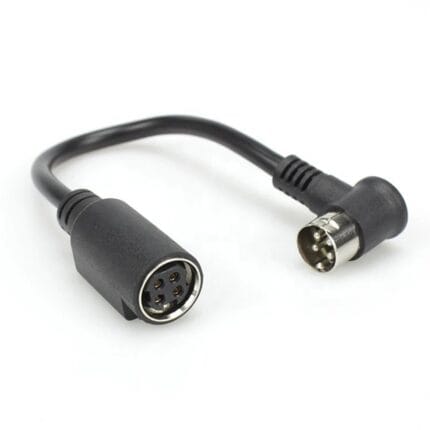
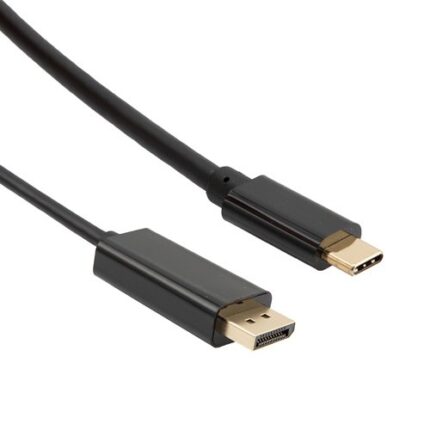
USB-C to DisplayPort Cable for High Refresh Monitors
A USB-C to DisplayPort cable carries native DisplayPort signaling out of a USB-C port, bi-directional and without a converter in the path. Latching shell, gold plated contacts, reinforced molding at the USB-C end. Tell us your source, monitor and target refresh format and we will build the length to it.