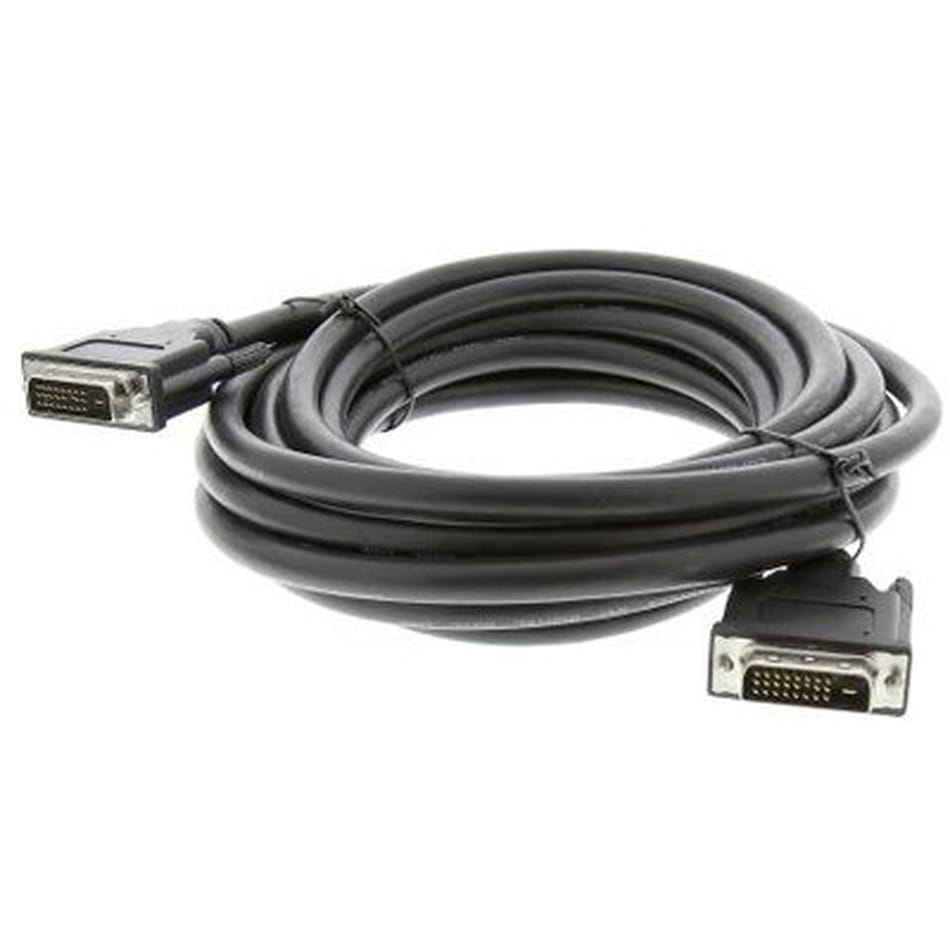
DVI Screw Lock Cable, DVI-D and DVI-I for Legacy Industrial PCs
A DVI screw lock cable is built to the variant your ports actually have: DVI-D or DVI-I, single or dual link, with both jackscrews clamping into the panel threads. Photograph both ports and we match the contact population exactly.
Overview
A DVI screw lock cable is usually bought because a machine that works is not going to be upgraded this decade. The controller is fine, the display is fine, and the original lead has been flexed at the connector until one of the screened pairs went open. The difficulty is that DVI is not one connector – it is a family sharing a shell and differing in which contacts are actually fitted, and getting that wrong produces a cable that cannot be plugged in at all. We build to the variant on each end: DVI-D or DVI-I, single or dual link, straight or right-angle, with both jackscrews doing the retaining.
Identify the connector before you order
Look at the socket on each device, not at the label printed on the old cable – the label is frequently wrong, and the overmolding hides the contact layout anyway. The giveaway is the flat blade on one side of the connector and the four pins that sit around it.
| Variant | What the face looks like | Carries | Mates with |
|---|---|---|---|
| DVI-D | Flat blade with pin rows, no pins around it | Digital only | DVI-D and DVI-I sockets |
| DVI-A | Four pins around the blade, no digital pin rows | Analog only (VGA signaling) | DVI-A and DVI-I sockets |
| DVI-I | Flat blade plus the four pins around it | Both digital and analog | DVI-I sockets; needs an adapter for DVI-D or VGA |
The practical trap: a DVI-I plug has more contacts than a DVI-D socket has holes, so it will not go in. A DVI-D plug fits a DVI-I socket mechanically but carries no analog signal, so it will not drive an analog display through a passive adapter. Check both ends, not one.
Single link or dual link: count the pins
Dual link adds a second set of differential pairs alongside the first, which is what supports the higher pixel clocks a large or fast display needs. A single-link cable in a dual-link application gives a reduced mode or no picture; a dual-link cable in a single-link application simply has contacts that go nowhere, which is harmless but costs more. If you are matching an existing installation, the pin population on the old connector tells us the answer.
| Contact group | Single link | Dual link | What it carries |
|---|---|---|---|
| Data pair 0 – 2 | Fitted | Fitted | The three primary TMDS differential pairs |
| Data pair 3 – 5 | Absent | Fitted | The second set, doubling the available bandwidth |
| Clock pair | Fitted | Fitted | Pixel clock reference for the link |
| Analog RGB | DVI-I only | DVI-I only | The four pins around the blade, VGA signaling |
| Display data channel | Fitted | Fitted | Identification and control between source and display |
| +5 V and ground | Fitted | Fitted | Power and return for the link |
The physical difference is visible on the face: a dual-link connector has both rows of the blade fully populated, while a single-link connector leaves a gap where the second set would be. Count the pins, or photograph the port.
Where DVI meets HDMI, and where it stops
DVI-D and HDMI use the same signaling method for the video, which is why a simple passive adapter between them works in one direction – from an HDMI source into a DVI-D display – and why the picture arrives without any conversion. It stops at audio, because DVI carries no audio channel, and it stops at anything that relies on content protection or on the HDMI control channel. For a legacy industrial PC driving an older display none of that matters. It matters the moment somebody tries to feed a consumer monitor with protected content, and in that case an active converter is the answer rather than a passive adapter.
Why the screws matter here
DVI shells were threaded from the start, and on an industrial PC mounted in a cabinet door or a vision station bolted to a frame those two screws are what stop the plug working loose. A DVI plug is heavy relative to its contacts, and the leverage of a stiff cable hanging off it is enough to break contact on its own over time. Do the screws up and the load is carried by the shell; leave them finger-tight on a machine that vibrates and you are back to intermittent dropouts that look like a driver fault.
Key specifications
| Connector A | DVI-D or DVI-I, single or dual link, straight or right-angle |
|---|---|
| Connector B | DVI-D or DVI-I, or DVI to a panel-mount feed-through |
| Interface | DVI digital and integrated variants – confirm the fitted contacts |
| Retention | Two jackscrews clamping to the mating panel threads |
| Link configuration | Single link or dual link – must be specified at order |
| Conductors | Screened TMDS differential pairs plus analog cores on DVI-I |
| Shielding | Individual pair screening plus overall braid – confirm per build |
| Jacket | PVC as standard, PUR on request |
| Application | Legacy industrial PCs, machine-vision frame grabbers, older medical displays |
| Length | Made to order |
Typical applications for this DVI screw lock cable
- Legacy industrial PCs and operator consoles with DVI-only outputs
- Machine-vision frame grabbers and camera-link capture stations
- Older medical and laboratory displays still in daily service
- Test and measurement benches with DVI capture hardware
- Digital signage and control-room screens fed from older sources
What to send us
- Which variant at each end: DVI-D, DVI-I or DVI-A, single or dual link.
- Length, and whether the cable is routed through a machine or behind a bench.
- Straight or right-angle, and the exit direction.
- Whether the run passes near drives, contactors or power cabling.
- A photograph of both ports if you are not certain of the variant.
- Quantity, and whether this is a prototype or a production order.
Workmanship and testing
Terminations on DVI Screw Lock builds run from 32 to 12 AWG, and the work is held to IPC/WHMA-A-620 Class 3 inside an ISO 9001 system. continuity and pinout are checked on every DVI unit before packing, and seal checking is quoted whenever an ingress rating is on the drawing.
Every production run can ship with RoHS and REACH declarations and the electrical report agreed at quotation; see certifications and material declarations. UL styles and other named approvals are built to drawing: we source to the style you specify and document it, rather than asserting a listing we do not hold. This assembly is built on the four lines covered under cable assembly and wire harness production, with nothing in the build handed to an undisclosed subcontractor. More background: how we handle build-to-print orders. Tooling is quoted separately, cut in-house rather than brokered out, and owned by you.
Custom builds and ordering
DVI Screw Lock prototypes start from 1 to 50 pcs and ship in 3 working days. Series supply starts at 500 pcs and takes 14 working days after sample sign-off. Tooling not already held adds around 10 working days. DVI builds ship under your part number and labeling for OEM and ODM orders, and material certificates and first-article reports can be supplied.
Related video and screw-lock assemblies
- 8K HDMI Screw Lock Cable Assembly with M3 panel screws
- HDMI Panel-Mount Extension Cable with Latch Lock
- VGA Screw Lock Cable, HD15 for industrial monitors and CNC panels
- DisplayPort Screw Lock Cable for control room and kiosk displays
- DP80 DisplayPort Cable with Latching Connector
- D-Sub Screw Lock Cable, DB9 DB15 DB25 Serial and I/O Cordset
The variant definitions are set out in the Digital Visual Interface reference. Full ranges: Screw-Lock Molded Cable • Audio Video Cable • Panel Mount Cable.
Frequently Asked Questions
How do I tell DVI-D from DVI-I?
Look at the flat blade. If there are four pins sitting around it, it is DVI-I and carries analog as well. If the blade has no pins around it, it is DVI-D and digital only.
Will a dual-link cable work in a single-link port?
Mechanically the plug may not fit a single-link socket, because the extra contacts have nowhere to go. If it does fit, the extra pairs simply go unused.
Can I connect DVI to HDMI with a simple adapter?
Digital video, yes – the signaling is compatible and no conversion is needed. Audio, content protection and the HDMI control channel do not pass through, so for those you need an active converter.
Why did my original cable fail at the plug?
On a rigid, heavy connector the flexing concentrates where the cable enters the overmold. A molded strain relief sized to the cable and a shell that is screwed down rather than left hanging is what prevents it.
What is the minimum order?
DVI Screw Lock prototypes start from 1 to 50 pcs and ship in 3 working days. Series supply starts at 500 pcs and takes 14 working days after sample approval.
| Connector A | DVI-D or DVI-I, single or dual link, straight or right-angle |
|---|---|
| Connector B | DVI-D or DVI-I, or DVI to a panel-mount feed-through |
| Interface | DVI digital and integrated variants – confirm the fitted contacts |
| Retention | Two jackscrews clamping to the mating panel threads |
| Link configuration | Single link or dual link – must be specified at order |
| Conductors | Screened TMDS differential pairs plus analogue cores on DVI-I |
| Shielding | Individual pair screening plus overall braid – confirm per build |
| Jacket | PVC as standard, PUR on request |
| Application | Legacy industrial PCs, machine-vision frame grabbers, older medical displays |
| Length | Made to order |