
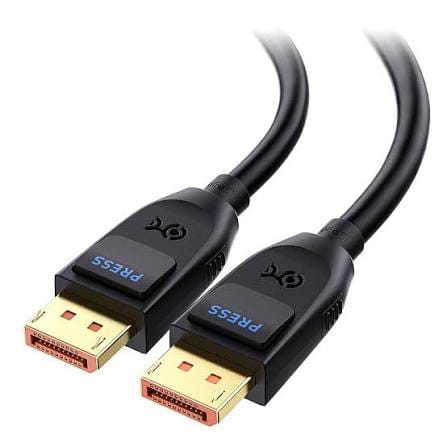
DP80 DisplayPort Cable with Latching Connector
A dp80 displayport cable is the right choice when the graphics card can push more pixels than an older lead will carry. Passive construction with a latching shell and release button, in 1 m and 2 m for high refresh desks.
Overview
A dp80 displayport cable is the choice when the graphics card can push more pixels than an older lead will carry without dropping the link. High refresh desktop monitors, multi-screen trading desks and CAD workstations all fall into that group. This assembly is a passive construction with a latching shell, intended for the run between a tower or dock and a monitor sitting one or two meters away. The DP80 and DP40 naming follows the VESA cable certification scheme for the higher link rates; we treat the figures behind it as a lead until they are confirmed on our own builds.
Key Specifications
| Interface | DisplayPort male to DisplayPort male |
|---|---|
| Construction | Passive |
| Stock lengths | 1 m / 2 m |
| Connector shell | Latching, with release button |
| Contact finish | Gold plated |
| Backward compatibility | Earlier DisplayPort equipment |
| Options | Custom lengths and packing for volume orders |
| Compliance files | Supplier documentation pending confirmation |
Link rates, and what DP80 points at
DisplayPort signaling is quoted per lane, and the total is four lanes of that rate. The table below gives the published per lane rates for the DisplayPort generations; the rate your assembly is built and verified to is the one on your drawing and confirmation order.
| Mode | Published rate per lane | Where it is used |
|---|---|---|
| RBR | 1.62 Gbps | Legacy and low resolution panels |
| HBR | 2.70 Gbps | Older 1080p and 1440p displays |
| HBR2 | 5.40 Gbps | 4K at 60 Hz on earlier equipment |
| HBR3 | 8.10 Gbps | High refresh 1440p and 4K desktop monitors |
| UHBR10 | 10 Gbps | The DP40 certified class |
| UHBR20 | 20 Gbps | The DP80 certified class |
The latch matters more than it sounds
On a desk that gets reconfigured, or a monitor on an adjustable arm, an unlatched DisplayPort plug works loose over time and shows up as an intermittent black screen that is hard to diagnose — the kind of fault that gets blamed on the graphics driver for a month before anyone pushes the plug back in. There are two answers on the market and they suit different installs.
| Retention | How it holds | Best for | Also see |
|---|---|---|---|
| Friction only | Nothing but contact grip | Racks that are never touched | Not recommended for adjustable arms |
| Latch with release button | Spring latch, released by pressing the button | Desks and arms that get reconfigured | This cable |
| Screw lock | Thumb screws into the device jack | Kiosks, control rooms and mobile racks | DisplayPort screw lock cable |
The shell here uses a release button, so the plug stays seated but still comes out without a screwdriver or a hard pull on the cable.
Typical setups
Trading and control-room desks running several high refresh panels from one card; engineering workstations where the model viewport is the priority; home and studio gaming builds where frame rate is tied to refresh rate; and docking setups that pass a high bandwidth signal through to an external monitor.
Build details
- Passive construction, 1 m and 2 m stock lengths
- Latching DisplayPort shell with a release button
- Gold plated contacts
- Backward compatible with earlier DisplayPort equipment
- Custom lengths and packing for volume orders
Compatibility checks before ordering
Signal performance at this level depends on the whole chain, not only the cable. Confirm the output on the graphics card, the input on the monitor, and the length you actually need. Passive assemblies are the simplest and least expensive option at short distances, but if the run grows or the port is recessed behind a monitor arm, tell us and we will quote an alternative construction rather than ship a lead that drops the link under load.
What still needs confirming
- Bandwidth and resolution figures are taken from public competitor data, not our own measurements.
- Passive reach at each length needs lab confirmation before it is stated as a specification.
- DP80 grade naming follows the published VESA scheme; our own verification is outstanding.
Typical applications for this dp80 displayport cable
- High refresh gaming and esports desks where the monitor is one to two meters from the tower
- Trading and control desks running several panels from one card
- CAD and engineering workstations, paired with our USB-C to DisplayPort cable for high refresh monitors on laptop docks
- Docking setups that pass a high bandwidth signal through to an external monitor
- Kiosk and fixed displays where our DisplayPort screw lock cable is the better retention answer
Workmanship and testing
For DP80 DisplayPort builds the line runs to IPC/WHMA-A-620 Class 3 under ISO 9001, terminating 32 to 12 AWG. Each DP80 unit passes a continuity and pinout check before it ships, and seal checking is quoted whenever an ingress rating is on the drawing.
Material declarations against RoHS and REACH are issued per project, alongside the dimensional and electrical reports agreed at quotation; see certifications, compliance and material declarations. Where your drawing names a UL style or another approval, the build follows your drawing and ships with the supporting document rather than a claim of our own. Overmold tooling for this part is designed and cut in our own tool room under in-house mold making and overmold tooling, so the tool belongs to your program and a revision is a machining job rather than a new negotiation. Related reading: what stage and studio work demands.
Custom builds and ordering
DP80 DisplayPort prototype lots start from 1 to 50 pcs and ship in 3 working days. Production requires 500 pcs and runs 14 working days after approval. Tooling not already held adds around 10 working days. Your part number and labeling go on OEM and ODM DP80 shipments, and material certificates plus first-article reports are available.
Related display leads
- DisplayPort screw lock cable for control room and kiosk displays
- USB-C to DisplayPort cable for high refresh monitors
- Ultra high speed HDMI cable for 8K video walls
- HDMI 8K panel coupler with screw lock for cabinet feedthrough
- Cat6A fiber hybrid cable for machine to cabinet high-speed links
Full range: audio and video cable assemblies.
Frequently Asked Questions
Is a latching cable the same as a screw-lock cable?
No. A latch is released by pressing a button and suits desks that get reconfigured. A screw lock uses thumb screws and suits kiosks, control rooms and mobile racks.
Will it work with older DisplayPort monitors?
Yes. The interface is backward compatible, and the link falls back to the rate both ends support.
Why only 1 m and 2 m?
Those are the lengths where a passive build is the right answer. Longer runs need a different construction, which we quote on request.
Have you measured the bandwidth?
Not yet. The published figures for this class are what we quote today, and we will supply the supplier datasheet before a volume order.
| Interface | DisplayPort male to DisplayPort male |
|---|---|
| Construction | Passive |
| Stock lengths | 1 m / 2 m |
| Connector shell | Latching, with release button |
| Contact finish | Gold plated |
| Backward compatibility | Earlier DisplayPort equipment |
| Compliance files | Stated per your drawing |
| Options | Custom lengths and packing for volume orders |
Related products
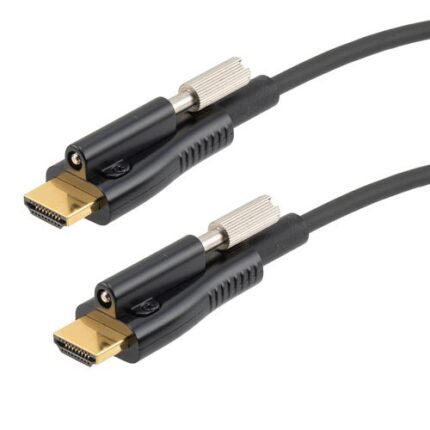
Active Optical HDMI Cable for Boardrooms and Ceiling Projectors
An active optical HDMI cable puts the high speed signal path onto fiber so a long boardroom or ceiling projector run stays slim enough to pull through conduit. Marked source and display ends, aramid strength member, hybrid copper for power and control. Tell us the route and we quote the length with a service loop.
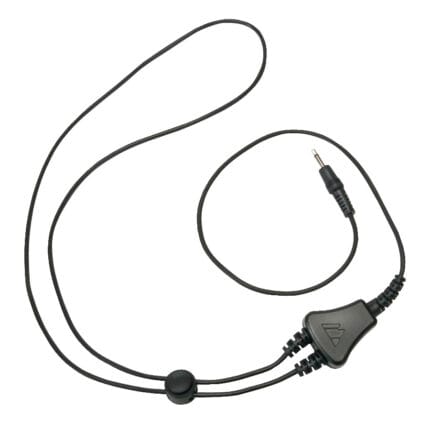
Assistive Listening Neckloop with Breakaway Safety Release
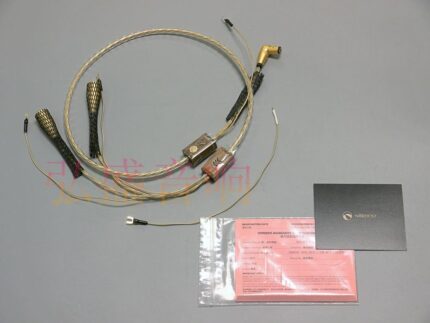
Turntable Tonearm Cable with DIN and Dual RCA Options
A turntable tonearm cable is the one link in a vinyl system where the wiring, the screening and the ground path are all audible. Built with DIN 5-pin or dual RCA ends, a separate ground spade and two shielding layers, to the pinout on your drawing. Send a photo of the back of the deck and we will match it.
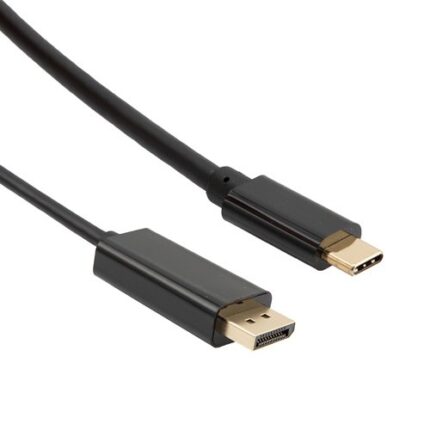
USB-C to DisplayPort Cable for High Refresh Monitors
A USB-C to DisplayPort cable carries native DisplayPort signaling out of a USB-C port, bi-directional and without a converter in the path. Latching shell, gold plated contacts, reinforced molding at the USB-C end. Tell us your source, monitor and target refresh format and we will build the length to it.