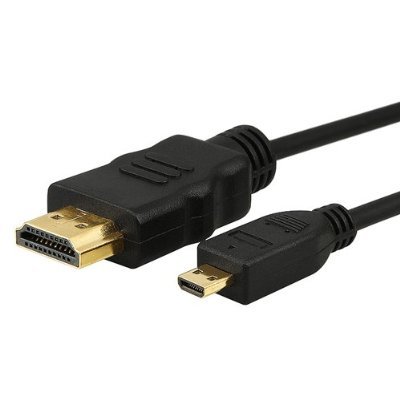
Micro HDMI to HDMI Cable
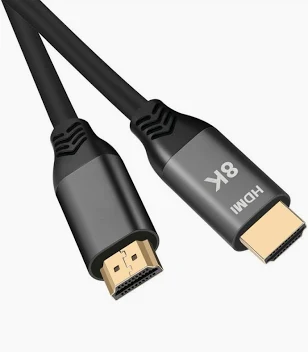
A micro hdmi to hdmi cable with a Type-D plug for action and compact cameras and a Type-A plug for a TV, monitor or recorder. Narrow overmold for recessed sockets, gold plated contacts, length and exit angle to your build.
Overview
A micro hdmi to hdmi cable puts the smallest plug in the
HDMI family, Type-D,
on the device end and a full-size Type-A plug on the display or recorder end. Type-D is what
you meet on action cameras, a few compact mirrorless bodies and some slim tablets, and it is the
connector most likely to be damaged in service, because the socket it plugs into is soldered to the
most portable, most dropped, most caged piece of equipment in the bag. This build uses a narrow
overmold at the Type-D end so the plug reaches a socket that sits deep in a housing or behind a
cage.
Key Specifications
| Connector A | HDMI Type-D (Micro HDMI) male |
|---|---|
| Connector B | HDMI Type-A (Standard HDMI) male |
| Cable Length | Custom on request |
| Jacket | Black PVC |
| Application | Action cameras, compact cameras and small tablets to TV / monitor |
| Contact finish | Gold plated |
| Shielding | Foil plus braid over the signal pairs |
| Conductor | Stranded copper |
| Overmold | Narrow body at the Type-D end for tight recesses |
| Build | Length, exit angle and jacket per your drawing |
Which devices actually use a Type-D socket?
Type-D and Type-C are close enough in size that the difference is hard to judge from a photograph,
so identify the socket by what the device is and by what sits next to it on the body.
| Device | What you will usually find | Notes |
|---|---|---|
| Action cameras | Type-D, Micro HDMI | Often behind a door or inside a waterproof case |
| Compact and mirrorless cameras | Type-C on many bodies, Type-D on some smaller ones | Check the manual; both exist in the same era |
| Slim tablets and small computers | Type-D, or a USB-C port with video output | If it has USB-C video, that route may serve you better |
| Field monitors and recorders | Type-A on larger units, Type-D on the small ones | Portable recorders are the common Type-D case |
| Phones | Almost never a true HDMI socket | Video usually leaves over USB-C with an alternate mode |
If the socket sits behind a housing door, measure the recess depth and the width of the opening.
That is what decides whether a standard overmold fits or whether you need the narrow-body build. Where
the device supports it, a
USB-C to DisplayPort cable
takes the fragile socket out of the equation altogether.
The device end is the end that fails
Every field kit has a story about a camera with a ripped-out HDMI socket, and the mechanism is
always the same: the plug is a lever, the socket is soldered to a board, and something catches the
cable. On an action camera in a cage there is almost no room around the plug, so a lead that fits in a
shop can still put sideways pressure on the connector once the cable is dressed. Three rules follow,
and they are cheap next to a mainboard repair.
- Use a short pigtail and a clamp. A 20 to 30 cm Type-D to Type-A lead, held by a
cable clamp on the cage, means any pull is taken by the clamp rather than by the socket. - Specify a right-angle Type-D plug where the enclosure allows it, so the cable
exits along the body instead of standing off it. - Test with the housing closed. A lead that fits with the door open can foul the
door once it is shut.
Handling and duty cycle
Consumer HDMI sockets are not built for thousands of cycles, and the small types less so. Where a
lead is plugged and unplugged on every setup, put a short pigtail on the device and break the
connection at the Type-A end instead. Keep the end faces clean and dry, since a Type-D socket inside a
waterproof case sees condensation. And never force a plug: if it does not seat with light pressure it
is the wrong type or the wrong orientation, and the repair costs more than the cable.
What to keep in the bag
Field work eats small HDMI leads, so plan for consumables rather than for one good cable. Carry two
pigtails per camera, because the second one is what gets you through the day when the first is
damaged. Fit a port cover or a blank plug when the socket is not in use, which keeps dust and
condensation off the contacts inside a waterproof case. Test every lead before a shoot rather than on
the day, and retire any plug whose shell has gone loose, because a loose shell is a socket waiting to
be damaged at the worst possible moment.
Where a micro hdmi to hdmi cable belongs in the kit
- Action camera to a field monitor or a recorder on a rig
- Compact camera to a TV or projector for a playback review on location
- Embedded and single-board development, where the board is swapped frequently
- Drone and gimbal ground stations, where weight and length both matter
- Capture setups running alongside
machine vision cabling
on the same bench
How to specify your build
- Device model and a socket photo, ideally with something for scale.
- Recess depth at the socket, to choose the narrow or standard overmold.
- Straight or right-angle at the device end, and which way it exits.
- Length, and whether a short pigtail plus an extension suits the rig better.
- Quantity, and whether you need retail packing for resale.
Micro HDMI builds are made to IPC/WHMA-A-620 Class 3 workmanship inside an ISO 9001 system, over a 32 to 12 AWG range. Each Micro unit passes a continuity and pinout check before it ships, and seal checking is quoted whenever an ingress rating is on the drawing.
Custom builds and ordering
For Micro HDMI builds, prototypes run from 1 to 50 pcs with a 3 working day turnaround. Volume orders begin at 500 pcs and ship 14 working days after approval. Tooling not already held adds around 10 working days. OEM and ODM Micro work ships under your part number and labeling, and we provide material certificates and first-article reports when asked.
Material declarations against RoHS and REACH are issued per project, alongside the dimensional and electrical reports agreed at quotation; see certifications, compliance and material declarations. Where your drawing names a UL style or another approval, the build follows your drawing and ships with the supporting document rather than a claim of our own. Overmold tooling for this part is designed and cut in our own tool room under in-house mold making and overmold tooling, so the tool belongs to your program and a revision is a machining job rather than a new negotiation. More background: our broadcast and pro AV work.
Related video assemblies
- Ultra High Speed HDMI Cable for 8K Video Walls
- Active Optical HDMI Cable for Boardrooms and Ceiling Runs
- VR Link Cable, 5 m Hybrid Fiber with 90 Degree Plug
- USB-C to DisplayPort Cable for High Refresh Monitors
- DP80 DisplayPort Cable with Latching Connector
- CoaXPress Machine Vision Cable Assembly
Full range: audio and video cable assemblies.
Frequently Asked Questions
Micro HDMI or Mini HDMI – how can I be sure?
Compare the width against a Micro USB plug; the two are close. If you are unsure, send a photo of
the socket with a ruler beside it and we will match it.
Will an adapter from Type-A to Type-D work?
It works electrically, and it puts a lever arm on the smallest socket on the device. For anything
mounted or moving, order the correct plug instead.
Can I have a right-angle plug on the camera end?
Yes, in either exit direction. It is the most requested option for cameras in cages.
Does the cable limit the resolution?
Over these lengths, no. Length and build category decide that, and both are specified to your
requirement.
| Connector A | HDMI Type-D (Micro HDMI) male |
|---|---|
| Connector B | HDMI Type-A (Standard HDMI) male |
| Cable Length | Custom on request |
| Jacket | Black PVC |
| Application | Action cameras, compact cameras and small tablets to TV / monitor |
| Contact finish | Gold plated |
| Shielding | Foil plus braid over the signal pairs |
| Conductor | Stranded copper |
| Overmold | Narrow body at the Type-D end for tight recesses |
| Build | Length, exit angle and jacket per your drawing |
Related products
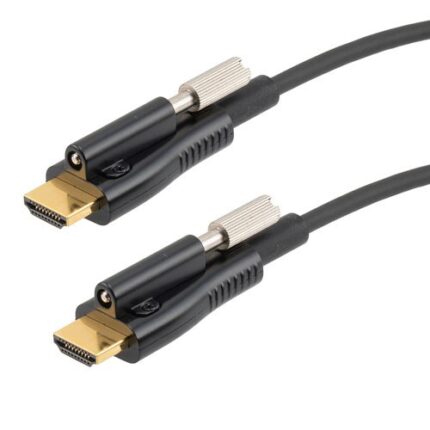
Active Optical HDMI Cable for Boardrooms and Ceiling Projectors
An active optical HDMI cable puts the high speed signal path onto fiber so a long boardroom or ceiling projector run stays slim enough to pull through conduit. Marked source and display ends, aramid strength member, hybrid copper for power and control. Tell us the route and we quote the length with a service loop.